Why app sizes keep increasing every year is closely linked to how modern apps are built, updated, and optimized.
Have you ever noticed that your favorite apps seem to get larger with every update? An app that was once under 50 MB might now be 100 MB or more — even when you’re not receiving major new features. It’s not just your imagination: app sizes really do keep increasing year after year, and there are practical reasons behind it.

In this article, we’ll explain why app sizes grow over time, what developers include in those additional megabytes, and why some growth is unavoidable — while offering insights from official engineering sources and real developer discussions. By the end, you’ll understand not just the “what,” but the “why” and “how” this trend affects your smartphone storage and performance.
Why App Sizes Tend to Increase
App size growth is a natural outcome of several technological trends and decisions. The phenomenon is observed across platforms — Android, iOS, and even desktop apps — and affects everything from system utilities to social apps, games, and productivity tools.
Here are the core reasons behind increasing app sizes:
1. More Features Mean More Code
Apps today are much more sophisticated than they were a few years ago. Developers constantly add new functionality — social features, integrations with other services, advanced UI elements, and real-time updates.
Each new feature generally requires additional code libraries, assets, and resources, all of which take up space inside the app bundle.
This trend shows up clearly in engineering discussions from major companies like Spotify, where teams document the tradeoff between feature richness and app size.
2. Multimedia & Rich Assets Are Bigger Than Before
Modern apps rely heavily on images, videos, animations, and interactive content to provide a rich experience. High-resolution assets, multiple theme resources, and video components add to the size.
Where early apps could get away with simple icons and a few screens, today’s apps often embed:
- HD images and illustrations
- Vector animations and transitions
- Video previews
- Language packs
All of these add megabytes quickly.

Reddit threads from Android users discussing ballooning app sizes often point out that these assets are a major contributor.
3. Multiple CPU / Architecture Support
To work on as many devices as possible, apps include support for multiple CPU architectures inside a single package. This means:
- ARMv7
- ARM64
- x86
Instead of generating separate packages for each device, many developers ship one “universal APK” or bundle that contains all architecture variations. This increases the file size substantially.
This pattern is confirmed in developer forums like StackOverflow where Android developers discuss multi-ABI support and file size growth.
4. Third-Party Libraries & Frameworks
Modern apps are built using many external libraries for analytics, crash reporting, ads, UI components, networking, and AI-powered features. While these libraries save development time and add capabilities, they also add weight to the final app package.
Each library often includes:
- Code
- Resources
- Native libraries
- Configuration files
Over time, as more libraries are added, the app size increases even if the core functionality stays the same.
5. Backward-Compatibility & Legacy Support
To support older OS versions, many apps include legacy code alongside modern components. This ensures that users on older devices don’t get left behind, but it also adds to the size of the app.
Official Android documentation from Google suggests that maintaining backward compatibility often requires developers to include extra resources or fallback implementations.
Also read –>> Google Play Services Battery Drain: Why It Happens & How to Stop It
6. Internationalization & Language Packs
Apps that target users worldwide often include resources for multiple languages. Rather than shipping language packs on demand, many developers bundle them all, increasing the total size.
For example, if an app includes 20+ languages, each with localized strings and assets, this adds up quickly.
7. Increased Use of Embedded Databases
Apps today don’t just store settings; they embed structured data with search indices, schemas, and prepopulated content. This is especially true for apps that need offline capabilities.
An embedded database and its associated index files can add dozens of megabytes to the app bundle.
In my own experience using social and productivity apps over several years, I noticed that most of the size increases did not come from the visible part of the interface, but from:
- Updated resource files
- Additional architecture binaries
- Third-party analytics modules
This explains why sometimes an app increases in size even with minimal visible feature changes.
What App Size Growth Actually Impacts
When people talk about increasing app sizes, storage is usually the first concern. But in reality, larger apps affect much more than just free space on your phone. The impact spreads across performance, updates, data usage, and even long-term device usability.
Let’s break this down clearly.
Why Bigger Apps Feel Slower to Update
One noticeable side effect of growing app sizes is longer update times. Even small feature changes often require downloading large update packages because many app components are tightly bundled together.
This happens because:
- Apps repackage entire modules during updates
- Assets and libraries are often replaced, not patched
- Multiple device architectures are updated together
As a result, a “minor bug fix” update can still be 100 MB+, especially on Android.
From a user perspective, this feels inefficient — but from a development perspective, it simplifies compatibility and testing.
Hidden Data Usage You Don’t Notice
Another overlooked impact is background data consumption.
Larger apps usually include:
- Sync engines
- Analytics services
- Preloading systems
- Content recommendation engines
Even when you’re not actively using the app, these components may:
- Refresh data
- Cache content
- Update internal databases
Over time, this increases mobile data usage and storage footprint without obvious user action.
Why Older Phones Struggle More
App size growth disproportionately affects older or budget devices.
Reasons:
- Limited internal storage
- Slower read/write speeds
- Less RAM for caching assets
A newer phone may handle a 500 MB app smoothly, while an older device struggles with the same app due to slower storage access and background memory pressure.
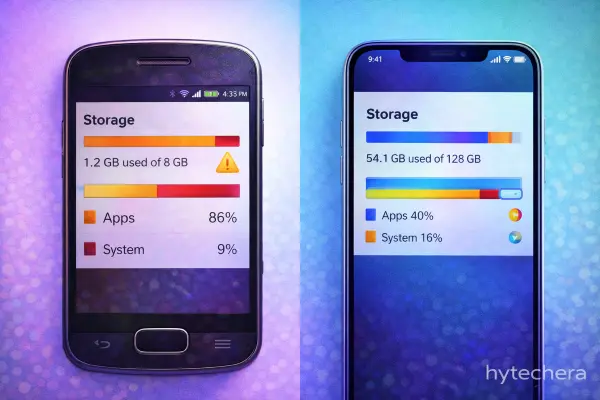
This is one reason users feel that “apps were faster a few years ago” — it’s often a hardware + software mismatch, not just poor optimization.
Also read –>> How to Fix Phone Storage Full Without Deleting Apps
Why Developers Don’t Always Reduce App Size
You might wonder: “If app size is a problem, why don’t developers just optimize more?”
The reality is more complex.
Developers balance:
- Faster feature delivery
- Device compatibility
- Stability
- Time-to-market
Aggressive size optimization:
- Requires more engineering time
- Can increase bug risk
- Slows feature rollout
That’s why optimization often happens periodically, not continuously.
In fact, some companies explicitly delay deep optimization until size growth becomes a noticeable problem — a strategy discussed openly in engineering teams across large platforms.
From personal usage, I’ve noticed that apps with frequent feature experiments tend to grow faster than stable utility apps. Social media and content platforms are the biggest examples — even when features look the same, background systems evolve constantly.
This explains why size growth often feels “invisible” to users.
Are There Any Limits to App Size Growth?
Yes — but they’re mostly platform-enforced, not user-focused.
For example:
- App stores impose size limits or warnings
- Large apps may require Wi-Fi for download
- Modular delivery systems are encouraged
However, these limits don’t stop growth; they only manage distribution.
What This Means for Users
At this stage, it’s important to understand one thing clearly:
Increasing app size is not automatically bad — it’s a side effect of modern app complexity.
The real problem arises when:
- Apps grow without meaningful value
- Devices lack resources to handle them
- Users aren’t given control over optional components
We’ll address what users can do and how developers try to control app size in the final section.
Can App Size Growth Be Controlled?
By now, it’s clear that app sizes grow for logical reasons. But the real question users ask is simple:
Can this growth be controlled — and if yes, by whom?
The answer is: both developers and users play a role, but in very different ways.
Also read –>> Best Android Apps That Work Offline in 2026
How Developers Try to Control App Size
Modern app teams are not ignoring size problems. In fact, many large companies actively monitor and manage app size — just not always in ways users can see.
Modular App Architecture
Instead of shipping everything in one bundle, developers increasingly break apps into modules. Only the parts you actually use are downloaded or activated.
This reduces initial install size but doesn’t always prevent long-term growth.
On-Demand Assets
Some assets (animations, language packs, advanced features) are downloaded only when needed. This is why an app may seem small at first but grows over time.
From a UX perspective, this is intentional — it avoids overwhelming new users while keeping advanced features available.
Periodic Size Optimization
Many teams allow apps to grow for months, then:
- Remove unused libraries
- Compress assets
- Refactor legacy code
This cycle explains why some updates suddenly reduce app size — and others don’t.
Google also provides guidance on reducing module size for better app delivery.
Why Optimization Isn’t Continuous
Continuous optimization slows feature delivery. In competitive markets (social apps, streaming, productivity), speed often wins over size.
This is a business decision as much as a technical one.
Spotify’s engineering team has explained how feature growth and assets directly impact app size.
What Users Can Actually Do
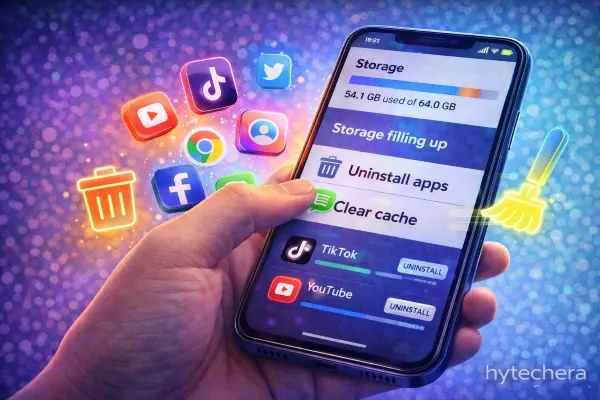
Users can’t rewrite app code — but they can manage impact.
Clear App Cache (Not Data)
Cache grows silently and can add hundreds of MB over time. Clearing cache periodically is safe and effective.
Disable Unused App Features
Some apps allow you to disable:
- Offline downloads
- Background sync
- Media preloading
These settings don’t reduce APK size but slow future growth.
Uninstall Rarely Used Apps
Apps you open once a month still update, cache, and sync. Removing unused apps has a bigger impact than most optimization tricks.
Choose “Lite” or Web Versions When Possible
For messaging, news, or social browsing, lite versions consume far less storage and data — especially on older devices
On my own phone, I noticed that removing just two rarely used social apps freed more space than clearing cache across all apps combined. That was a clear reminder that usage habits matter more than technical tweaks.
Final Thought — Understanding Beats Frustration
App sizes keep increasing every year not because developers are careless, but because modern apps are:
- More intelligent
- More personalized
- More connected
Understanding this shift helps users make better choices instead of assuming something is “wrong” with their phone.
Frequently Asked Questions
- Why do apps get bigger even without new features?
Because background systems — analytics, security, compatibility layers — change even when visible features don’t.
- Are bigger apps more powerful?
Not always. Size often reflects complexity, not efficiency.
- Do app updates replace old files or add new ones?
Mostly replace — but cache and data layers grow independently, which is why storage usage increases.
- Will app sizes stop increasing in the future?
Unlikely. As devices become more capable, apps evolve to match — but smarter delivery methods may slow growth.