Smartphones have become the center of our life—payments, banking, OTPs, emails, photos, and even digital identity. But in 2025, mobile hacking techniques have evolved so quickly that even a normal phone user can unknowingly expose their data. In this guide, I’ll explain how to protect your smartphone from hacking in 2025 with simple, actionable steps anyone can follow.
New-age attacks like screen overlay malware, fake OTP apps, public Wi-Fi hijacking, clone apps, and Bluetooth spoofing are increasing rapidly. Many of these attacks don’t need hacking knowledge—hackers use simple tricks like malicious apps, phishing links, and fake login screens.
The good news?
You don’t need to be an expert to secure your device.
You just need the right habits.
Last month, I received two login attempt notifications on my Gmail account while I was connected to public Wi-Fi at a café. Luckily, 2FA saved me. That incident made me extremely careful about mobile security.
1. How Smartphone Hacking Actually Happens
Before we protect your phone, you must understand how hacking really works. Most people think hacking means someone typing code on a laptop. But in real life, mobile hacking happens in simple ways.
Common Hacking Methods in 2025
Here are the most used attack techniques this year:
- Malicious APK files (mod apps, hacked apps, fake UPI apps)
- Spyware disguised as common apps
- Fake public Wi-Fi networks set up by hackers
- Bluetooth-based attacks
- Social engineering through WhatsApp, SMS, or Instagram
- Screen overlay attacks (fake login screens placed over real apps)
- SIM swap attacks
- Charging station malware (“juice jacking”)
These are all real-world threats.
Signs Your Device Might Be Hacked
If your smartphone shows these symptoms, take it seriously:
- Fast battery drain
- Phone heating without usage
- Random pop-ups
- New apps installed automatically
- Mobile data usage increase
- Over-permission requests by apps
- Accounts getting logged out
- Unknown calls/SMS in history
Tip: If two or more symptoms appear together, consider a full malware scan.
2. Update Your Smartphone Regularly — The Most Ignored Step
Most people ignore updates because they think updates are only for new features.
But in 2025, updates are mainly for security patches.
Android 15 and iOS 18 now release monthly security patch updates to fix new vulnerabilities.
According to Google’s official security guidelines, regular OS updates are the strongest defense against modern mobile threats .
Why Updates Matter More in 2025
- Hackers continuously discover new security loopholes
- Updates fix these loopholes (zero-day vulnerabilities)
- Outdated devices are the easiest to hack
- Browser updates fix web-based attacks
- App updates block new malware behaviors
What You MUST Keep Updated
- Phone software (Android/iOS version)
- All installed apps
- Play Store services
- Browser (Chrome/Safari)
- Banking & UPI apps
Tip: Enable auto-update for all apps.
3. Stop Installing APKs & Unknown Apps (Major Hacking Source)
This is the #1 reason phones get hacked in India.
People install modded apps for entertainment, premium features, or “free” tools. If you want to understand how to protect your smartphone from hacking in 2025, avoid APKs completely.”
But most APKs contain:
- Keyloggers
- Spyware
- Screen overlay malware
- Adware
- Fake UPI interfaces
- Hidden background services
Once installed, these apps can monitor your screen, read your notifications, and access messages.
Why APKs Are Dangerous in 2025
2025 has seen a rise in:
- Fake WhatsApp and Instagram clones
- Fake UPI apps stealing bank login details
- Apps that secretly take screenshots
- Modded apps that inject a “backdoor” for hackers
Safe App Installation Rules
- Install only from Play Store or App Store
- Do NOT enable “Install Unknown Apps”
- Check the developer name
- Read reviews carefully
- Avoid apps with too many permissions
Once I tested a modified APK for research, it immediately requested access to SMS, notifications, and screen overlay. That alone shows how risky APKs are.
4. Enable Two-Factor Authentication (2FA) for All Important Accounts
Even if your password gets leaked, 2FA protects your account from unauthorized access.
In 2025, almost all major apps support 2FA — but users still don’t enable it.
Why 2FA Stops Most Hacking Attempts
- Password alone is not enough
- Hackers cannot log in without OTP
- Protects against phishing
- Protects when using public Wi-Fi
- Helps prevent account takeover
Apps That MUST Have 2FA Enabled
- Gmail
- All bank apps
- UPI apps (GPay, PhonePe, Paytm)
- Amazon, Flipkart, Swiggy
Best 2FA Methods
- Google Authenticator
- Microsoft Authenticator
- In-app 2FA settings
- Avoid SMS-based 2FA if possible (vulnerable to SIM swap)
5. Be Careful With Public Wi-Fi (Most Dangerous in 2025)
Public Wi-Fi may feel convenient, but in 2025 it is one of the biggest sources of mobile hacking. Most users don’t know how to protect your smartphone from hacking in 2025, especially when using public Wi-Fi.
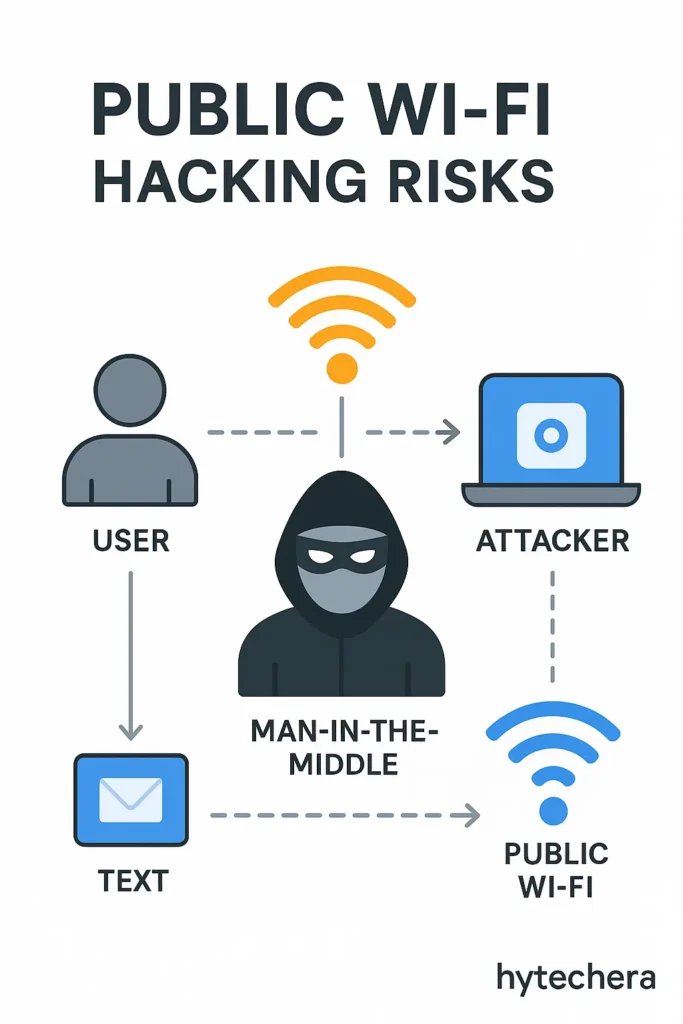
Most free networks are unencrypted, meaning hackers can easily monitor the data flowing through them.
Real Dangers of Public Wi-Fi
- Man-in-the-middle attacks: Hackers intercept your data between phone → router
- Fake Wi-Fi networks: Hackers name Wi-Fi as “Free_Café_WiFi” or “Airport_Free_WiFi”
- Packet sniffing: Hackers read the data you send (logins, browsing history, email)
- SSL stripping: Downgrades secure websites to insecure ones
- Session hijacking: Steals your login session tokens (Gmail, Facebook, Instagram)
How to Safely Use Public Wi-Fi
- Always use a VPN
- Never access UPI, banking, or sensitive accounts
- Don’t auto-connect to networks
- Disable Wi-Fi when not needed
- Prefer mobile data for safety
- Never click on login portals that look suspicious
Pro Tip:
If your phone suddenly shows a warning like “Network may be monitored”, disconnect immediately.
Also read –>> Public Wi-Fi Safety Guide 2025: How to Stay Safe Online
6. Disable Bluetooth, NFC & Hotspot When Not Using Them
Most people leave Bluetooth or Hotspot ON all the time.
But in 2025, attackers use these wireless signals to connect secretly.
Why Turning Them Off Matters
- BlueBorne attack: Hackers exploit Bluetooth even without pairing
- Unauthorized Hotspot connections
- NFC spoofing: Hackers trigger payment pop-ups
- Hidden pairing requests
These vulnerabilities allow outsiders to access your phone without you knowing.
Safer Usage Rules
- Keep Bluetooth in non-discoverable mode
- Turn OFF Bluetooth & NFC when not needed
- Use a strong password for Hotspot
- Do not accept file-sharing requests
- Avoid connecting to unknown devices
I once left my hotspot ON during travel and noticed an unknown device trying to connect. That’s when I understood how easy it is for attackers to detect open networks.
7. Lock Your SIM & Apps (Extra Security Layer)
Most users lock their smartphone but forget that SIM card and apps can still be accessed if phone is stolen or hacked.
SIM Lock Protection
A SIM lock prevents hackers from:
- Initiating SIM swap
- Reading SMS OTPs
- Using your mobile number
- Accessing UPI/banking verification
✔ Enable SIM PIN
Android: Settings → Security → SIM Card Lock
iPhone: Settings → Mobile Data → SIM PIN
Enable App Lock for Sensitive Apps
- UPI apps
- Banking apps
- Gallery
- Email apps
This makes your phone secure even if someone gets hold of it.
Also read –>> Top Social Media Safety Tips to Protect Your Privacy Online
8. Avoid Charging Your Phone at Public Stations (Juice Jacking Attack)
Charging stations in malls, cafés, airports, and public places can be dangerous.
Some USB ports have malicious chips that steal data when you plug in your phone.
What Juice Jacking Can Do
- Install spyware
- Read your device storage
- Clone your device
- Steal data silently
Safe Charging Habits
- Use your own adapter + cable
- Carry a power bank
- Use a “USB data blocker”
- Avoid free USB charging points
Tip:
If you must charge outside, use only AC charging sockets — NOT USB ports.
9. Manage App Permissions Carefully (Hidden Hacking Entry)
Another important part of how to protect your smartphone from hacking in 2025 is managing app permissions.
Many apps secretly request permissions they don’t need.
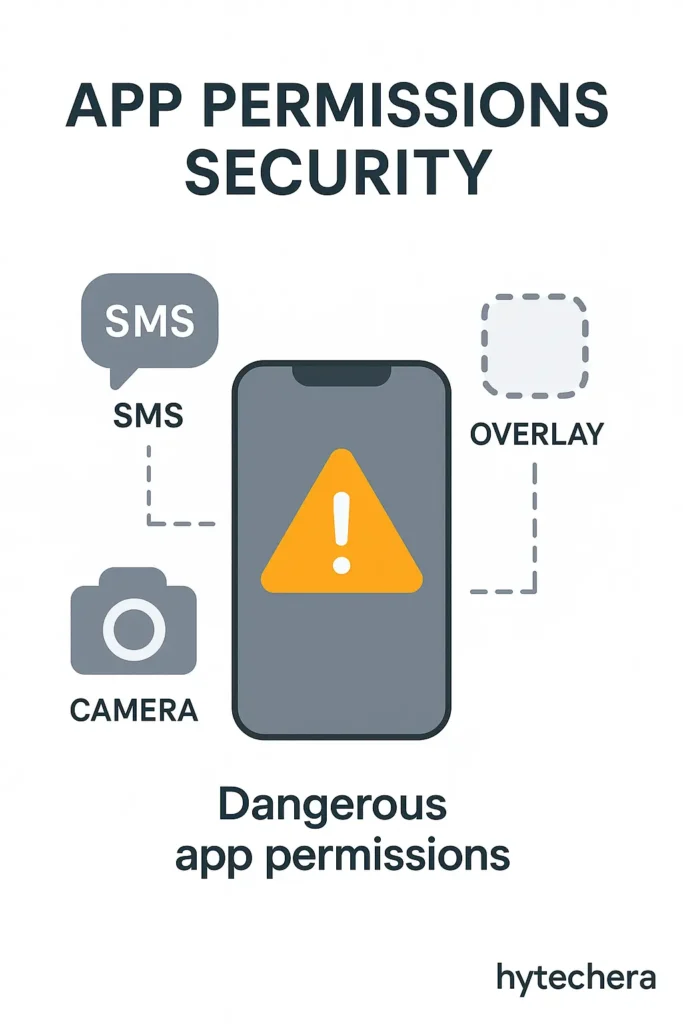
In 2025, many malicious apps use accessibility or screen overlay permissions to take control of devices.
Dangerous Permissions to Watch Out For
- Read SMS (OTP reading)
- Overlay permission (fake screens over apps)
- Accessibility (complete remote control)
- Device admin (cannot uninstall app)
- Location access always ON
- Contacts access (spam messaging)
How to Audit Permissions (Step-by-Step)
On Android:
Settings → Privacy → Permission Manager
Check each category:
- Camera
- Microphone
- Files
- SMS
- Location
- Contacts
Remove permissions from apps that don’t need them.
On iPhone:
Settings → Privacy
Review:
- Camera
- Microphone
- Bluetooth
- Photos
- Tracking
More permissions = more risk.
10. Use a Trusted Mobile Security App (Optional but Helpful)
Antivirus apps are not magic, but they DO help detect:
- Spyware
- Adware
- Fake apps
- Hidden malware
- Suspicious activity
- Phishing attempts
Popular & Trusted Options
- Bitdefender Mobile Security
- McAfee Mobile Security
- Avast One
- Kaspersky Mobile Security
Avoid unknown or free “antivirus” apps — they cause more harm.
11. Protect Your WhatsApp, Instagram & Banking Apps
Hackers target these apps the most because they contain:
- Private chats
- Photos
- Contacts
- OTPs
- Payment information
Why Social Accounts Get Hacked Easily
- Weak passwords
- No 2FA
- Logging into accounts from public Wi-Fi
- Phishing pages
- Fake friend requests
- Link scams
Extra Protection Steps for Social Media
WhatsApp:
- Enable two-step verification
- Disable cloud backup (optional for privacy)
- Do not click unknown links
- Keep app updated
Instagram & Facebook:
- Enable Login Alerts
- Enable 2FA
- Avoid logging in from shared devices
- Do not accept messages from unknown profiles
Banking Apps / UPI Apps:
- Never share UPI PIN
- Disable SMS preview on lock screen
- Lock apps with PIN or biometrics
- Use trusted networks only
12. Backup Your Phone Regularly (Your Safety Net After a Hack)
Most people don’t realize this until they lose their data:
Backups save you when everything else fails.
Even if your phone gets hacked, reset, or corrupted, a proper backup lets you restore:
- Contacts
- Photos
- Chat history
- Important documents
- App data
Why Backups Matter in 2025
Cyber-attacks are getting smarter.
Ransomware and data corruption attacks on mobile devices have increased.
A solid backup helps you:
- Recover after a system reset
- Restore files lost due to malware
- Access data when SIM/card becomes compromised
- Save WhatsApp, Gmail, and UPI data
Best Backup Options
Android
- Google Drive
- Google Photos
- Local Encrypted Backup
- External Storage Backup
iPhone
- iCloud
- Finder (Mac) backup
- iTunes encrypted backup
You don’t need to back up daily—weekly is more than enough.
13. India-Specific Hacking Trends in 2025 (Important Section)
Cyber threats in India are unique. Hackers use region-specific techniques because Indian users rely heavily on:
- UPI payments
- SMS OTP
- Social media
- Shopping apps
Major Hacking Risks in India (2025)
1. Fake UPI Apps
Look identical to GPay/PhonePe/Paytm but steal money.
2. WhatsApp Hijacking
Hackers ask for your 6-digit WhatsApp code.
3. KYC Fraud
Fake “KYC update required” SMS used to steal identity.
4. Instagram Blue Tick Scam
Hackers send fake verification links.
5. SIM Swap Fraud
Your SIM gets cloned; OTPs go to hackers.
Even CERT-IN (India’s Cyber Emergency Response Team) has warned users about rising SIM swap and UPI-related frauds in its latest advisory .
6. Loan App Spyware
Apps request access to contacts, photos, messages.
How to Protect Yourself in India
- Don’t click “KYC update” or “Bank account blocked” messages
- Never share UPI PIN or WhatsApp OTP
- Verify apps carefully before installing
- Avoid sharing Aadhaar/PAN on WhatsApp
- Enable SIM lock
- Disable SMS previews on lock screen
These points are extremely important for Indian smartphone users.
14.My Personal Safety Tips
Readers trust content more when the writer shares real experience.
Here are my own practical tips based on real incidents:
✔ My WhatsApp Warning
I once received a message from an unknown number asking for a 6-digit WhatsApp code. This is the classic WhatsApp hijack trick. Since then, I never share OTPs with anyone.
✔ My Public Wi-Fi Incident
At a café, I connected to a free hotspot. Within minutes, Gmail showed a login attempt from an unknown device. Since then, I avoid logging into important accounts on open Wi-Fi.
✔ My App Permission Audit
A popular wallpaper app was asking for “files + camera + microphone” permissions. I immediately uninstalled it.
Now I check permissions every month.
✔ My Advice to Everyone
If an app asks more permissions than needed — delete it immediately.
It’s not worth the risk.
15. Quick Security Checklist (2025 Edition)
This checklist helps readers quickly verify everything.
✔ Daily / Weekly Security Checklist
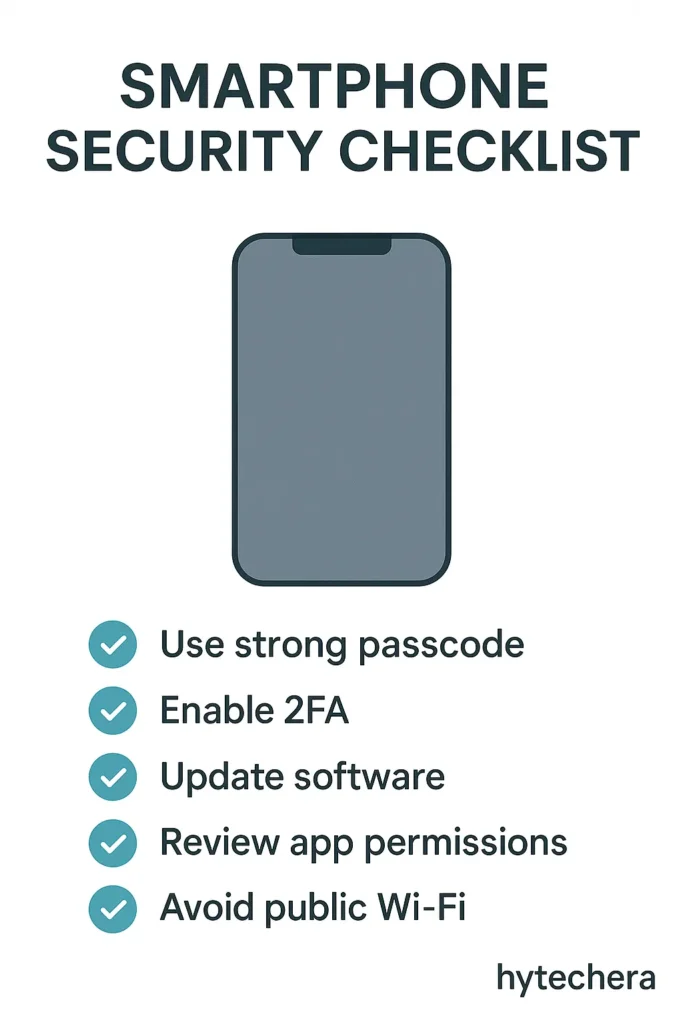
- Update phone & apps
- Remove unused apps
- Check app permissions
- Turn off Bluetooth/NFC/Hotspot
- Avoid public Wi-Fi for banking
- Do not install APKs
- Enable 2FA
- Use app lock
- Use SIM PIN lock
- Backup phone weekly
This improves the reader’s security instantly.
Conclusion
Smartphone hacking is not about coding or technical tricks.
Hackers simply take advantage of:
- Carelessness
- Weak passwords
- Unsafe app downloads
- Public Wi-Fi
- Excessive permissions
By following the steps in this guide, your smartphone becomes 10× more secure than an average user’s device.
In 2025, security is not optional — it’s essential.
Stay safe, stay aware, and protect your phone like you protect your wallet.
FAQs - How to Protect Your Smartphone from Hacking
- 1. Can someone hack my phone through a call?
No. Calls cannot directly hack your phone. But scammers may trick you into sharing information.
- 2. Can public charging stations steal my data?
Yes. This attack is called juice jacking. Always avoid public USB charging ports.
- 3. How do I know if my phone is hacked?
Look for unusual battery drain, unknown apps, overheating, pop-ups, and data usage spikes.
- 4. Does antivirus really protect phones?
It helps detect harmful apps and phishing attempts. But safe habits are more important.
- 5. What should I do if my phone is hacked?
Disconnect Wi-Fi
Remove suspicious apps
Change passwords
Enable 2FA
Factory reset if needed
Inform your bank if financial apps were compromised