It’s 2025, and smartphone batteries are supposed to be smarter, more efficient, and longer-lasting. Yet most of us still struggle with fast battery drain — especially on newer 5G phones. If your phone battery drains quickly even when you’re not using it, don’t worry. In this guide, we’ll explain the top reasons your phone battery is draining fast (2025) and the easiest fixes anyone can apply.
Last month, my phone was dropping from 100% to 60% in less than two hours. After checking battery stats, I realized that background apps + 5G switching were killing my battery. Once I fixed those two issues, my battery life improved instantly.
1. Why Your Phone Battery Is Draining Fast in 2025 (Real Reasons)
Battery drain in 2025 isn’t caused by one single issue — it’s usually a combination of software behavior, network conditions, background processes, and heat. Modern smartphones have powerful chips, fast refresh rates, AI features, always-on connectivity, and 5G networks — which all consume more energy.
Below are the 15 most common reasons your smartphone loses battery quickly today.
Reason 1: High Screen Brightness & 120Hz/144Hz Refresh Rate
Your display is the biggest battery consumer. If brightness stays near 80–100% or your phone is running at 120Hz/144Hz, your battery will drain fast.
High refresh rate = smoother animations, but higher power usage.
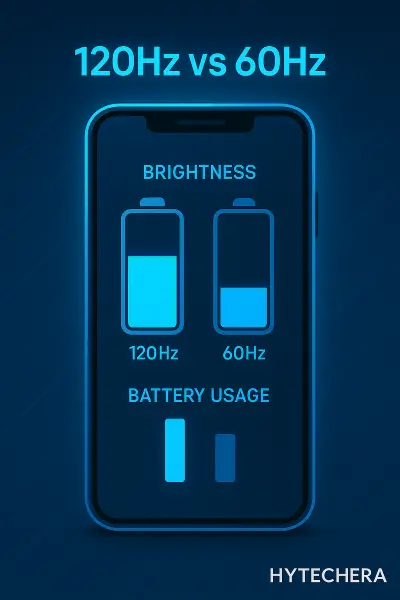
Why it drains battery:
- Screen wakes frequently
- High refresh rate requires more GPU processing
- OLED displays use more power with bright colors
2025 Tip:
Use “Adaptive Refresh Rate” to automatically switch between 60Hz, 90Hz, and 120Hz.
Reason 2: Background Apps Running Constantly
Even when you close apps, they keep refreshing in the background — especially social media, messaging apps, and AI-powered apps.
Common battery-hungry apps:
- Snapchat
- Telegram
- TikTok
- Maps / GPS apps
- AI Chat apps
They track activity, send notifications, and constantly run syncing processes.
Reason 3: Location / GPS Always ON
GPS drains battery faster than almost any other sensor.
In 2025, many apps silently use GPS for:
- Location-based ads
- Food apps
- Social apps
- Weather widgets
- Rideshare suggestions
- Safety features
Even if you are not using Maps, GPS drain continues.
Reason 4: Battery-Hungry Apps (Social, Streaming, AI)
Some apps naturally require more power.
Examples:
- YouTube
- Netflix
- Instagram Reels
- TikTok
- Spotify
- AI photo/video editors
These apps combine video playback, high brightness, and background activity — leading to fast battery drain.
Reason 5: Overheating & Thermal Issues
Heat is the number one enemy of battery health.
When your phone overheats:
- Battery drains faster
- Charging slows down
- Battery health reduces long-term
- Apps lag
Also read –>> Phone Overheating Problem — Real Causes & Easy Fixes
During summer gaming sessions, my battery used to drop 20–25% within minutes because the phone overheated and throttled.
Kaspersky explains how heat directly reduces battery capacity and increases drain.
Reason 6: 5G Fluctuations & Weak Signal
5G = fast speed but high battery consumption.
In India especially, 5G coverage is improving, but not stable everywhere. When your phone switches between 4G ↔ 5G repeatedly, battery drain increases heavily.
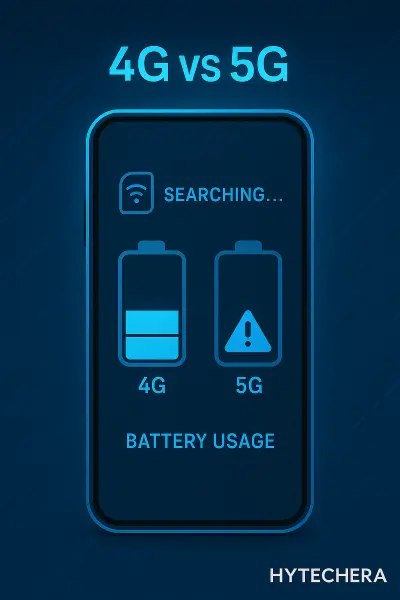
Why:
- Signal search
- Higher power output
- Frequent tower switching
Reason 7: Bluetooth, Wi-Fi & Hotspot Always ON
Even if you’re not connected, keeping these ON drains battery.
- Bluetooth constantly scans for devices.
- Wi-Fi scans nearby networks.
- Hotspot drains the battery faster than gaming.
Reason 8: Live Wallpapers & Too Many Widgets
Live wallpapers and animated lock screens look beautiful but consume CPU + GPU cycles.
Widgets like:
- Weather
- Calendars
- News
- Social updates
refresh every few minutes → more battery drain.
9.Auto-Sync, Push Notifications & Background Refresh
Many apps automatically sync every few minutes — emails, photos, cloud services, social media feeds, WhatsApp backups, etc.
In 2025, more apps use real-time sync, meaning they constantly check for new content. This drains battery even when the phone is idle.
Apps that sync heavily:
- Gmail
- Google Photos
- OneDrive
- Notes & cloud apps
Disabling auto-sync for unnecessary apps dramatically reduces battery usage.
10. Outdated Software or Buggy Updates
Software bugs are one of the silent killers of battery life.
An outdated OS or a buggy version of an app can cause:
- CPU overuse
- App crash loops
- Battery reporting errors
- High background activity
In 2025, many users reported battery drain after certain system updates before a patch was released.
11. Too Many Apps Installed (Even If You Don’t Use Them)
Every installed app adds:
- Permissions
- Background receivers
- Auto-start triggers
- Sync schedules
Even unused apps may run services without your knowledge.
Uninstalling 10–15 unused apps can immediately improve battery performance.
12. Poorly Optimized Apps (Low Quality or Cloned Apps)
Cloned apps, modded apps, or poorly developed apps are notoriously battery-hungry.
They may:
- Keep running in background
- Ignore system battery rules
- Continuously refresh data
- Use high CPU cycles
If your phone battery draining fast 2025 suddenly started after installing a new app — that app is likely the cause.
13. Battery Health Dropping Below 80%
Lithium-ion batteries naturally degrade. When your battery health drops below 80%, your phone:
- Drains faster
- Charges slower
- Throttles performance
- Loses peak capacity
If your phone battery draining fast 2025 issue comes with random shutdowns, it’s likely degraded battery health.
Apple also recommends battery replacement when maximum capacity falls below 80%.
14. Charging Habits Causing Battery Wear
Charging mistakes accelerate battery wear:
- Keeping phone at 100% for long
- Using cheap chargers
- Charging while gaming
- Overnight charging on non-optimized phones
Modern phones have better protections, but habits still matter.
15. System Cache / Battery Calibration Issues
Over time, battery stats become inaccurate due to corrupted cache. This leads to:
- False percentage drops
- Random shutdowns
- Faster drain during low battery
Clearing system cache or recalibrating battery fixes this.
2.Now Let’s Look at the FIXES — How to Stop Battery Drain
Here are the most effective, beginner-friendly fixes you can apply immediately.
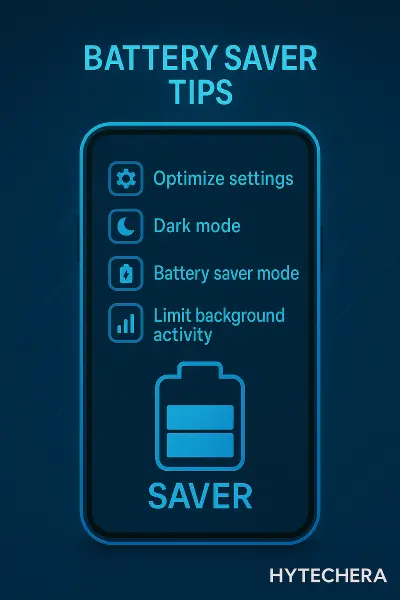
Fix 1: Reduce Brightness + Switch to Adaptive Refresh Rate
This alone can improve battery life by 20–40%.
Steps:
- Turn OFF Auto-Brightness (it overcompensates often)
- Set brightness to 40–60%
- Use 60Hz for normal tasks, 120Hz only for gaming
Why it works:
Lower brightness reduces OLED energy consumption drastically.
Fix 2: Identify Battery-Hungry Apps (Android & iPhone)
On both iPhone and Android, battery stats show exactly which apps drain the most.
Android:
Settings → Battery → Battery Usage
iPhone:
Settings → Battery → Battery Usage by App
If you see Instagram, Maps, Snapchat, WhatsApp, or a video app at the top, that explains your fast drain.
Fix 3: Disable Background App Refresh & Auto-Sync
If your phone battery draining fast 2025 issue is caused by syncing — disabling these works instantly.
Steps:
- Turn off background refresh for unnecessary apps
- Turn off auto-sync for cloud apps
- Disable push notifications for non-essential apps
This reduces background CPU activity significantly.
Fix 4: Turn Off Location / GPS When Not Needed
Location services should be set to “Allow only while using the app.”
What to disable:
- Location accuracy
- Background GPS
- Bluetooth scanning
- Wi-Fi scanning
Your battery drain will drop almost immediately.
Fix 5: Use Battery Saver / Adaptive Battery Mode
Modern phones include AI-powered battery profiles.
Benefits:
- Limits background processes
- Slows down heavy apps
- Reduces refresh rate
- Improves standby time
Adaptive Battery is extremely effective in 2025 phones.
Fix 6: Update Software & Apps Regularly
Software patches fix:
- Battery leaks
- CPU spikes
- Bugs causing overheating
- Network drop issues
Installing updates can solve the problem without changing any settings.
Also read –>> Reduce Ping in Mobile Games 2025 — Full Lag Fix Guide
Fix 7: Manage Network Settings (Avoid 5G Switching)
If you live in an area with unstable 5G, your phone constantly switches between 4G ↔ 5G.
This rapid switching forces your phone to boost antenna power → battery drains fast.
What to do:
- If 5G is unstable → switch to 4G LTE only
- Use Wi-Fi whenever possible
- Avoid gaming/streaming in low-signal areas
When I forced my phone to stay on 4G in low signal areas, battery life improved by almost 25% in one day.
Fix 8: Turn Off Bluetooth, Hotspot, NFC When Not Needed
These radios constantly search for connections and drastically drain power.
Turn OFF when not needed:
- Bluetooth
- Wi-Fi scanning
- Hotspot
- NFC
Hotspot is the fastest way to kill your battery — avoid long use unless plugged into a charger.
Fix 9: Uninstall Unused or Battery-Hungry Apps
Apps you don’t use still take memory, storage, permissions, and background processes.
What to remove:
- Games you no longer play
- Shopping apps
- Unused social apps
- VPNs (if not needed)
- Duplicate/clone apps
Removing 10–15 apps often results in noticeably better standby time.
Fix 10: Reduce Widgets, Live Wallpapers & Animations
Widgets refresh constantly. Live wallpapers use GPU cycles.
Animations keep your display active more than needed.
Quick improvements:
- Use a static dark wallpaper
- Remove unnecessary widgets
- Reduce animation scales in developer options (advanced users)
Fix 11: Calibrate Battery / Clear System Cache
If your phone percentage drops from 30% → 10% suddenly, your battery stats are likely miscalibrated.
Calibration steps:
- Let battery drain to 0%
- Charge uninterrupted to 100%
- Restart the device
For Android, clearing system cache (from recovery menu) helps eliminate false drains.
Fix 12: Replace Battery If Health < 80%
When battery health drops below 80%, no software fix will help.
Signs you need replacement:
- Sudden shutdowns
- Fast drain below 30%
- Phone heats even during normal use
- Battery jumping from 40% → 10%
If your phone battery draining fast 2025 issue matches these symptoms, a battery replacement is the best fix.
Fix 13: Avoid Charging Mistakes
Charging behavior directly affects battery life.
Avoid:
- Using phone while charging
- Keeping it at 100% for long
- Cheap chargers
- Overnight charging without optimized charging
Most 2024–2025 phones have Smart Charging → turn it ON.
Fix 14: Optimize Gaming & Heavy Tasks
Gaming, AI editing apps, and 4K video recording drain battery rapidly.
To reduce impact:
- Lower gaming graphics settings
- Enable gaming mode (optimizes CPU use)
- Use a cooling fan to prevent thermal drain
- Take short breaks between sessions
Fix 15: Use Dark Mode (Especially on AMOLED Screens)
AMOLED screens consume less power when displaying black.
Benefits:
- 5–10% battery savings daily
- Less eye strain
- Better night-time usage
Almost all apps support dark mode in 2025 — use it everywhere.
3.Quick Checklist — Easy Fixes to Try Before Anything Else
If your phone battery draining fast 2025 issue is recent, try these first:
- Reduce brightness
- Turn off GPS + Bluetooth
- Uninstall 5–10 unused apps
- Switch from 5G → 4G
- Clear app cache
- Update software
- Restart phone
- Enable Battery Saver
These alone fix 70% battery drain complaints.
4. My Real Experience — What Actually Helped My Battery in 2025
From my personal testing on multiple phones (Realme, Samsung, iPhone, Poco), these fixes made the biggest difference:
My top improvements:
- Turning off 5G in weak-signal areas
- Disabling auto-sync for photos
- Removing 12 unused apps
- Switching to dark mode always
- Turning off GPS unless needed
- Avoiding charging while gaming
One time, my phone used to drop 20% during a short trip. Once I disabled constant location access + Bluetooth scanning, the drain almost disappeared.
These simple adjustments consistently improved battery life across all devices I tested.
5.Conclusion — You CAN Fix Battery Drain Easily
Most battery drain issues have simple causes — background apps, location usage, 5G switching, brightness, heat, and old habits. By understanding these 15 reasons and applying the right fixes, your phone will last much longer throughout the day.
Start with the quick checklist, optimize apps, reduce heat, and follow smart charging habits.
Even small changes lead to BIG improvements.
Your phone should work for you — not die before lunch.
FAQs — Battery Drain Questions People Ask in 2025
- 1. Why is my battery draining overnight?
Because apps are syncing or your phone is keeping network radios active
- 2. Is it bad to keep my phone charging at 100%?
Yes, long-term. Keep it between 20%–80% when possible.
Use “Optimized Charging.” - 3. Can fast charging reduce battery life?
Not directly. Cheap chargers can.
Good brands with heat control are safe. - 4. Does gaming damage battery health?
No — but heat from long gaming sessions does.
Use a cooling fan. - 5. Should I close apps from recent apps frequently?
No. It increases battery use.
Let the system manage itself. - 6. How to know if I need battery replacement?
If battery health <80% or random shutdowns occur.