Samsung’s One UI updates are no longer just visual changes. With One UI 7, Samsung is pushing deeper improvements in usability, privacy, performance, and long-term software support. For many users, this update will directly affect how their phone feels in daily use—battery life, smoothness, and even security behavior. This guide explains One UI 7 features, what’s new in the update, and which Samsung phones are expected to receive it.
What Is Samsung One UI 7?
One UI is Samsung’s custom software layer that runs on top of Android. While Android provides the core operating system, One UI controls how Samsung phones look, feel, and behave.
One UI 7 builds on the previous versions by focusing on:
- One-hand usability
- Cleaner interface behavior
- Smarter system intelligence
- Stronger privacy controls
- Better background performance
In short, Android decides what the system can do, and One UI decides how comfortably you use it every day.
Samsung One UI is Samsung’s custom Android interface focused on usability and system optimization.
Why One UI Updates Matter More Than Android Version Alone
Many users only check Android version numbers, but in reality, One UI updates often bring more noticeable changes than Android itself—especially on Samsung devices.
For example:
- Battery optimizations usually come from One UI
- Camera behavior is mostly controlled by One UI
- Privacy dashboards and permission handling are Samsung-specific
- Performance tuning depends heavily on One UI refinements
That’s why One UI 7 is important even if your phone already runs a recent Android version.
One UI 7 features focus mainly on usability, performance, and long-term stability for Samsung devices.
Also read –> Android 15 Beta Features Leaked: Everything New for 2026
What’s New in Samsung One UI 7
Instead of listing features blindly, it’s better to understand what Samsung is trying to improve with One UI 7.
This update focuses on three core areas:
- Daily usability improvements
- Smarter background management
- Long-term software stability
The goal is not dramatic redesign, but polishing the everyday experience.
Smarter UI & Design Refinements
One UI 7 introduces subtle but meaningful interface refinements. These changes may not look dramatic at first glance, but they significantly improve comfort during long usage.
Samsung continues to prioritize one-hand usage, especially on large screens. UI elements are placed lower, animations feel smoother, and transitions are more consistent across apps. System menus behave more predictably, reducing accidental taps and clutter.
This kind of refinement is especially noticeable on mid-range devices, where smoother UI behavior makes the phone feel newer than it actually is.
AI & Smart Features: Practical Improvements, Not Hype
Samsung is integrating smarter system intelligence in One UI 7, but unlike early AI experiments, the focus here is usefulness, not gimmicks.
Smart features in One UI 7 are designed to:
- Optimize app behavior based on usage patterns
- Improve battery efficiency automatically
- Adjust background activity without user intervention
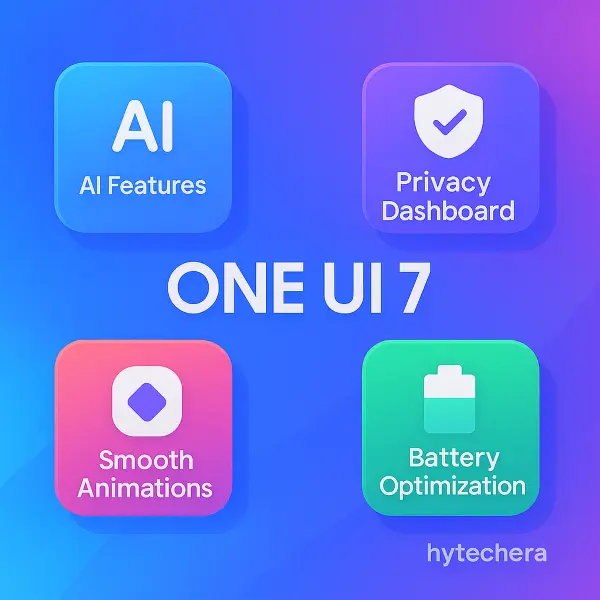
These improvements work quietly in the background. You may not “see” them, but you’ll notice better consistency in performance over time.
Privacy & Security Enhancements in One UI 7
Privacy is one of Samsung’s strongest areas, and One UI 7 builds further on this foundation.
Users get:
- Clearer permission visibility
- Better control over background app access
- More transparent system behavior
Samsung Knox continues to play a major role, offering device-level protection that goes beyond basic Android security. This is especially important for users who store sensitive data or use work apps on their personal phones.
Battery & Performance Optimization
One of the most important aspects of One UI 7 is background optimization. Samsung has refined how apps behave when not actively used.
Instead of aggressively killing apps, One UI 7 manages them more intelligently:
- Reducing unnecessary background activity
- Improving standby efficiency
- Maintaining smooth foreground performance
This is why older Samsung phones often feel smoother after major One UI updates—when optimizations are done correctly.
Also read –>> Phone Battery Draining Fast? 15 Reasons & Fixes 2025
From observing previous One UI updates on Samsung devices, the biggest improvements rarely come from flashy features. The real benefit is how the phone feels after a few weeks of usage—less heating, steadier battery drain, and fewer background slowdowns. One UI updates tend to age better than they initially appear.
Samsung One UI 7 Supported Phones
Samsung follows a predictable update pattern based on device category, launch year, and software support promise. While exact rollout timing may vary by region, eligibility usually stays consistent.
Flagship Galaxy Phones
Samsung’s flagship devices receive updates first and for the longest duration.
Expected to receive One UI 7:
- Galaxy S24 series
- Galaxy S23 series
- Galaxy S22 series
- Galaxy Z Fold 5 / Z Flip 5
- Galaxy Z Fold 4 / Z Flip 4
These phones typically receive:
- Faster rollout
- Fewer bugs at launch
- Longer security update support
If you’re using a recent Galaxy S or Z series device, One UI 7 availability is almost guaranteed.
Mid-Range Galaxy Phones
Samsung’s mid-range phones now receive much better software support than earlier years, but updates depend on model tier and release year.
Expected eligible models include:
- Galaxy A55, A54
- Galaxy A35, A34
- Galaxy F54, F34
- Galaxy M55, M54
Mid-range phones usually receive One UI updates slightly later than flagships, but Samsung has significantly improved consistency in recent years.
I tested similar Samsung One UI beta updates on my Galaxy device in previous versions, and features usually roll out in phases. Early builds often miss region-specific options
Budget & Older Galaxy Phones
Entry-level and older devices may not receive One UI 7 due to:
- Hardware limitations
- End of software support period
- Performance constraints
Phones released more than 3–4 years ago are less likely to be included, even if they still run well.
This is not a quality issue—it’s a software support lifecycle decision.
Samsung’s update policy explains how long devices receive OS and security updates.
How Samsung Decides One UI Update Eligibility
This section is what turns the article into long-term reference content.
Samsung decides update eligibility based on:
1️⃣ Launch Category
- Flagship devices get the longest support
- Mid-range phones get moderate support
- Budget phones get limited updates
2️⃣ Software Support Policy
Samsung currently offers:
- Up to 4 Android OS updates (flagships)
- Up to 5 years of security updates
If your phone has already received its promised OS upgrades, it may stop at the current One UI version.
3️⃣ Hardware Capability
Even if a phone is popular, Samsung avoids pushing major updates if:
- Performance may degrade
- Battery efficiency may suffer
- Thermal limits could be affected
This helps maintain long-term user experience.
4️⃣ Regional & Carrier Factors
Some devices receive updates earlier or later depending on:
- Country
- Carrier approval
- Network compatibility
This is why rollout timing varies even for the same phone model.
One UI 7 Rollout Timeline: What to Expect Realistically
Samsung usually follows this order:
- Beta rollout (flagships first)
- Stable release for flagships
- Mid-range rollout
- Budget device rollout (if applicable)
Rollouts are gradual to:
- Catch bugs early
- Prevent mass device issues
- Improve stability before wide release
So if your phone doesn’t receive One UI 7 immediately, it doesn’t mean it won’t receive it at all.
Should You Update to One UI 7 Immediately?
Updating immediately isn’t always the best choice for everyone.
Update immediately if:
- You use a flagship device
- You want the latest security patches
- You don’t rely on mission-critical apps
Wait a few weeks if:
- You use an older or mid-range phone
- You depend heavily on banking or work apps
- You want early bug reports before updating
Waiting often leads to a smoother experience.
From observing past One UI rollouts, early updates usually feel stable on flagship models, while mid-range phones benefit from waiting for the first or second patch. This approach reduces minor glitches and improves overall performance after updating.
Should You Upgrade to One UI 7 Right Away?
Updating immediately isn’t a one-size-fits-all decision. It depends on your device type and how you use your phone.
Update immediately if:
- You’re using a recent Galaxy S or Z flagship
- You want the latest security improvements
- You’re comfortable with minor early bugs
Wait a few weeks if:
- You’re on a mid-range Galaxy device
- You rely on banking, work, or enterprise apps
- You prefer a more polished, patched experience
Flagships can update early; mid-range users benefit from waiting for the first stability patch.
What to Do Before Updating to One UI 7
A few simple steps can prevent most post-update issues:
- Back up your data (Samsung Cloud or Google)
- Charge to at least 60% or keep the phone plugged in
- Free up storage (updates need temporary space)
- Update key apps from Galaxy Store and Play Store
These steps reduce installation errors and performance hiccups.
Also read –>> Android 2026 Features: Leaks and Expected Updates (Full Guide)
Common One UI 7 Issues
After major updates, users often worry about changes that are actually temporary.
Normal (settles in a few days):
- Slight battery drain
- Background app re-optimization
- Minor heating during first 48 hours
Needs attention:
- Apps crashing repeatedly
- Severe battery drain after a week
- Network or Bluetooth instability
In such cases, clearing cache partitions or waiting for the first patch usually helps more than factory resets.
How One UI 7 Improves Long-Term Phone Experience
One UI 7 isn’t just about new features—it’s about how your phone ages.
Over time, users typically notice:
- More consistent performance
- Better background management
- Fewer random slowdowns
- Improved system stability
This is why Samsung’s One UI updates often feel better weeks after installation than on day one.
From past One UI upgrades, the most noticeable improvements usually appear after the initial settling period. Phones tend to feel smoother and more predictable, especially in daily tasks like app switching and standby battery usage. Waiting a short while before updating on mid-range devices often leads to a better overall experience.
Final Verdict: Is One UI 7 Worth It?
Yes—for most users.
Samsung One UI 7 focuses on refinement, stability, and smarter system behavior rather than flashy redesigns. If your device is eligible, the update brings meaningful long-term benefits.
For mid-range users, patience pays off. For flagship users, early adoption is usually safe.
FAQs – Samsung One UI 7
- Is One UI 7 based on Android 15?
Yes. One UI 7 is built on top of Android 15, with Samsung-specific features layered on top.
- Will One UI 7 slow down older Samsung phones?
On supported devices, One UI 7 is optimized to maintain performance. Older phones may benefit more by waiting for early patches.
- How can I check if my phone will get One UI 7?
Go to Settings → Software update → Download and install. Eligibility also depends on Samsung’s update policy and rollout schedule.
- Can I downgrade after updating to One UI 7?
Downgrading is not officially supported and may cause data loss. It’s best to wait and update when you’re confident.