Instagram Reels are the fastest way to grow on Instagram in 2025. Even small creators with zero editing skills are getting thousands—sometimes millions—of views simply because Reels now dominate the feed, Explore page, and hashtag pages. If you’ve always wanted to create viral Instagram Reels but felt overwhelmed by editing, lighting, or “algorithm tricks”… don’t worry. This guide shows you exactly how to do it using only your phone.
When I created my first Reel using just my Samsung phone, I was surprised—no fancy editing, no DSLR camera, yet it hit 40,000+ views within two days. The strategy you follow matters more than the equipment you have.
Before we begin:
The “viral formula” in 2025 is based on watch time, retention, audio trends, and simple storytelling. Once you understand these, the process becomes very easy—even if you’re a beginner.
1. What Makes a Reel Go Viral in 2025?
Instagram changed the Reels system in late 2024 and again in early 2025. The platform now pushes content that feels:
- Fast
- Authentic
- Relatable
- Easy to watch
- Easy to rewatch
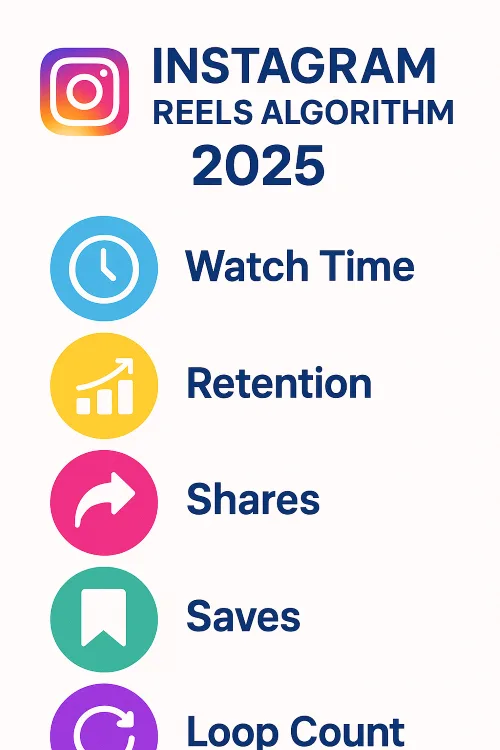
Here’s the exact viral formula Instagram uses today:
Instagram’s official help explains how recommendations work
1. Watch Time (MOST IMPORTANT)
If people watch your Reel till the end, Instagram boosts it.
Shorter Reels (5–8 seconds) get more loops → more watch time → more reach.
2. Retention Rate
- If viewers swipe away before 50%, the Reel dies.
- If they stay for 80–100%, the Reel skyrockets.
3. Saves > Likes
Saves tell Instagram:
“People want to revisit this.”
Educational, tips, hacks, and templates work perfectly for this.
4. Shares & Comments
If people send your Reel to someone else, that’s a BIG boost.
5. Original Audio
Instagram now gives priority to:
- Your voiceover
- Your original sound
- Natural talking
- Unpolished, casual content
Music is still useful—but original audio performs better.
6. Niching Down
Instagram recommends showing consistent content.
If today you post fitness → tomorrow comedy → next day gadgets, you lose reach.
2. How to Plan a Viral Reel
This section explains the exact step-by-step planning that creators use—even big pages and influencers—and YOU can do it using only a phone.
Step 1: Pick a Simple Topic
Do NOT overthink. Choose something you use or know:
- “3 phone tricks you didn’t know”
- “Best budget gadgets for students”
- “Simple fitness tips you can do at home”
- “Editing secrets using only your phone”
- “Healthy snacks under 50 rupees”
The simpler your idea, the higher the retention.
Step 2: Write a Short Script (Only 1–2 lines)
Reels should feel natural, not scripted.
Example:
“Try this simple trick to instantly improve your phone camera quality.”
Step 3: Use the 3-Second Hook Rule
Your Reel MUST grab attention in the first 3 seconds.
Good hooks include:
- “Stop scrolling—this will help you today.”
- “Everyone makes this mistake…”
- “Watch till the end…”
Step 4: Prepare Your Setup (Quick Checklist)
- Clean camera lens
- Natural light (window/door)
- Plain background
- Stable phone placement
- Avoid backlighting
Everything here can be done at home without equipment.
These steps make it easy to learn how to create viral Instagram Reels even if you’re a complete beginner.
3. How to Shoot Viral Reels Using Only Your Phone
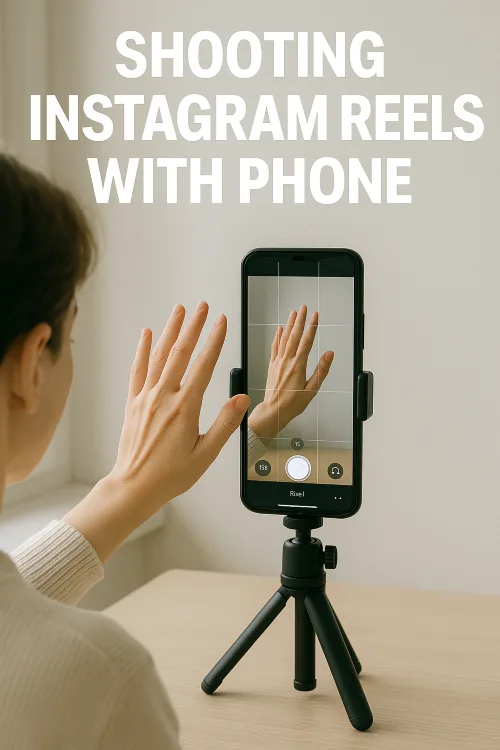
You DO NOT need a tripod, ring light, or fancy microphone. Just your phone + these small techniques.
Use Natural Light (Best for Beginners)
- Stand facing a window.
- Soft daylight makes skin look smoother and reduces noise.
From my experience, switching from indoor lighting to natural window light instantly improved the clarity of my Reels — even without any filters or editing.
Use Rear Camera When Possible
- Rear camera quality is far better.
- But front camera works if you’re showing your face.
Use Grid Lines
Turn on grid lines to frame yourself in:
- Center
- Rule of thirds
- Top third for talking Reels
Shoot in 1080p 30FPS
- 4K is not necessary.
- 1080p uploads faster and maintains quality on Instagram.
Record Short Clips (1–2 seconds each)
Short shots feel more dynamic, increasing retention.
Avoid Overacting or Robotic Delivery
- In 2025, “real is better than perfect.”
- Instagram is promoting UGC-style, natural content.
Lighting and framing matter a lot when learning how to create viral Instagram Reels.
4. How to Edit Reels on Your Phone (Beginner Apps)
Editing is the step that scares most beginners—but mobile editing is extremely simple today.
The BEST beginner apps in 2025:
- CapCut (free + templates)
- InShot (fast & simple)
- VN Video Editor (clean timeline)
- Instagram native editor (works for quick edits)
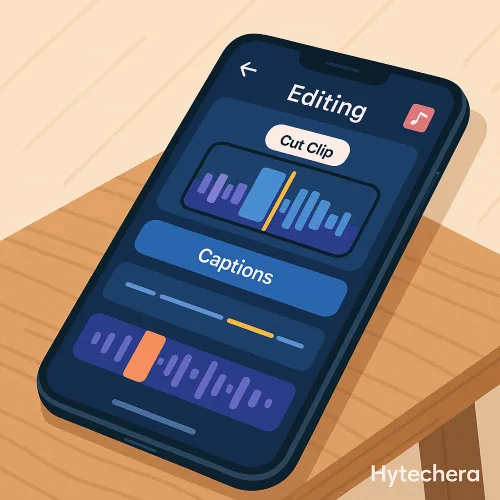
Meta’s creator resources highlight what makes short videos engaging.
Here’s the exact editing flow:
1. Choose your best clips
Delete shaky or unnecessary ones.
2. Trim aggressively
Shorter = higher retention.
3. Add captions
People watch Reels without sound.
4. Use trending audio (optional)
Choose one with 500–10,000 uses → easier to rank.
Most of my successful Reels were edited entirely on my phone inside CapCut—simple cuts, captions, and one voiceover were enough to outperform highly edited content.
5. Add smooth transitions
Drag-cut or basic zoom transitions work best.
6. Color correct lightly
Increase brightness + reduce shadows.
Phone-only editing tools are enough when you know how to create viral Instagram Reels correctly.
Also read –>> Best Free AI Tools to Edit Photos in 2025 (No Watermark)
5. Viral Hook Templates for Beginners
Your HOOK decides whether someone stops scrolling or swipes past your Reel.
In 2025, Instagram’s algorithm gives priority to Reels with strong first 2–3 seconds.

Below are beginner-friendly hooks that work in almost every niche:
No-Face Hooks
- “Stop scrolling—this will help you today.”
- “Nobody tells you this, but…”
- “Try this simple trick.”
- “People don’t know this feature exists.”
- “If you use a phone, watch this.”
Talking Hooks
- “Listen, you’re doing this wrong…”
- “I learned this the hard way…”
- “Let me save you some time today.”
- “You need to try this right now.”
- “Here’s something you should know.”
Niche-Based Hooks
Tech:
- “Your phone battery drains because of this…”
Fitness:
- “3 mistakes beginners make in every workout.”
Beauty:
- “If your makeup fades fast, do this.”
Money:
- “Stop wasting money on this…”
Lifestyle:
- “This 5-second habit changed my day.”
Use these hooks as text AND voiceover for maximum performance.
6. Caption, Hashtags & Timing Tips
In 2025, captions and hashtags actually matter less than before—but they still send signals to Instagram.
Best Caption Style (Short, Clean, Scroll-Stopping)
- “Try this today 👇”
- “Save this for later!”
- “You need this.”
- “This actually works.”
Simple captions increase saves → which boosts reach.
Hashtags (Use only 3–5)
Instagram confirmed: more hashtags ≠ more reach.
Use 3–5 niche-specific tags:
Examples:
- #reels
- #reelitfeelit
- #reelstips
- #instagramgrowth2025
- #your niche (ex: #phonetricks, #fitnessbeginners, #photographyhacks)
Never use random 30 hashtags.
Consistency > quantity.
Best Time to Post Reels (2025 Data)
Peak engagement times:
- 9 AM – 11 AM
- 1 PM – 3 PM
- 7 PM – 9 PM
Avoid posting between 3 AM – 7 AM.
If your followers are mostly Indian:
📆 Best days:
Tuesday, Thursday, Sunday
🎯 Worst days:
Saturday evening (low attention span)
7. Common Mistakes Beginners Make (Avoid These!)
Even good Reels fail if you make these mistakes:
1. Making the Reel too long
Attention span is low. Keep it 5–12 seconds.
2. Talking too slowly
Fast pacing = more retention.
3. Overediting
Too many transitions look messy.
4. Using 20+ hashtags
The algorithm ignores hashtag spam.
5. Posting random content
Stick to 1–2 niches for consistent growth.
6. Not using captions
Most people watch without sound.
7. Uploading in low quality
Always export at 1080p.
8. Bad lighting
Dark videos lose retention instantly.
9. Not writing a hook before recording
The Reel dies in the first 2 seconds without a hook.
10. Deleting Reels if they don’t go viral immediately
Instagram pushes Reels after 12–48 hours, sometimes even after 7 days.
Many of my Reels that stayed under 500 views suddenly boosted after 24–48 hours, which taught me never to delete Reels too early.
Also read –>> Phone Battery Draining Fast? 15 Reasons & Fixes 2025
8. How to Consistently Create Viral Reels (Simple Formula)
This is your easy repeatable formula:
Viral Formula (2025 Updated)
HOOK → VALUE → TEXT → CUTS → CLEAR ENDING
Example for beginners:
Hook:
“3 phone tips that instantly make your device faster.”
Value:
Show the 3 tips quickly.
Text:
Add short captions for each tip.
Cuts:
Fast 1–2 sec clips.
Ending:
“Save this so you don’t forget!”
This exact structure performs extremely well across all niches, especially tech, lifestyle, fitness, gadgets, productivity, and photography.
9. Mental Trick to Make Reels Faster (Used by Top Creators)
Most creators think they must:
- plan
- script
- film
- edit perfectly
But this kills creativity.
Here’s what works better:
The 10-Minute Reel Rule
Spend:
- 3 min → shoot
- 5 min → edit
- 2 min → upload
- Your quality stays high because you don’t overthink.
- Your consistency improves.
- Instagram pushes frequent, consistent creators.
10. Best Tools to Create Viral Reels Using Only Your Phone
Good news: You don’t need a laptop.
Every tool below works 100% on mobile and is beginner-safe.
1. CapCut (Free) — Best for Beginners
- Ready-made viral templates
- Auto captions
- Green screen feature
- Smooth transitions
- Export in perfect Instagram format
CapCut is currently the most-used editor among creators because it removes all the hard work.
2. InShot — Fast Editing for Simple Reels
- Quick trimming
- Easy music sync
- Clean UI
- Perfect for no-talking/visual reels
3. VN Video Editor — Most Control for Free
- Timeline editing like PC
- Advanced filters
- Smooth slow motion
- Easy fine-tuning
4. Instagram’s Native Editor — Great for Quick Posts
If you want to post fast, use the built-in editor:
- Text
- Stickers
- Music
- Cropping
- Timing adjustments
5. Canva Mobile — For Text-Based & Aesthetic Reels
- Beautiful templates
- Animated text
- Easy brand colors/logos
- Trending graphics
Canva Reels are extremely popular for motivational, educational, and aesthetic niches.
Also read –>> How to Create YouTube Thumbnails (Beginner Guide 2025)
11. Ready-Made Viral Reel Templates
These templates are based on top-performing 2024–2025 Reels.
Template 1 — “Tips & Hacks”
Hook: “3 tricks that make your phone faster.”
Clip sequence:
1–2 seconds per tip
Ending: “Save this for later!”
Template 2 — “Before/After Transformation”
Hook: “Watch this…”
Clip sequence:
Before → after → quick steps
Ending: “Try this today.”
Template 3 — “List Format (Beginners love this)”
Hook: “Stop doing this mistake.”
Value:
Point 1
Point 2
Point 3
Ending: “Which one are you guilty of?”
Template 4 — “Talking Reel”
Hook: “Listen—this will help you in 10 seconds.”
Value: Speak straight to the camera
Ending: “Share this with someone.”
Template 5 — “Unpopular Opinion Reel”
Hook: “Unpopular opinion…”
Value: One strong statement
Ending: “Agree or disagree?”
These templates alone can help you make 30+ Reels without thinking too much.
12. Viral Reel Ideas for Every Niche
Tech / Smartphone Niche
- 3 hidden Android features
- How to boost battery life fast
- Best free photo editing apps
- Underrated gadgets under ₹500
Fitness / Health
- Simple exercises beginners can do at home
- One mistake that ruins your posture
- Healthy snacks for busy people
- 5-step warm-up routine
Money / Finance
- How to save ₹1000 weekly
- Best free budgeting apps
- Things you’re overpaying for
- Side hustle ideas 2025
Lifestyle / Productivity
- Simple habits to improve your day
- 30-second desk workout
- Productivity apps I personally use
- How to reset your mind in the morning
Travel
- Best apps for travelers
- Packing hacks
- What I wish I knew before visiting ___
- Cheapest places to stay in ___
Every idea here follows the fast, simple, beginner-friendly style that Instagram is promoting in 2025.
13. Final Thoughts — Creating Viral Reels Is Surprisingly Simple
- You don’t need a professional setup.
- You don’t need editing skills.
- You don’t need expensive equipment.
You just need:
- A clear hook
- Short, fast content
- Good lighting
- Simple editing
- A strong caption
- Consistency
With the right structure, even your first Reel can perform well.
Instagram’s 2025 algorithm favors authentic, quick, mobile-shot clips, making this the best time for beginners to grow. Once you understand how to create viral Instagram Reels, growing your page becomes much easier.
If you follow everything in this guide, you will be ahead of 90% of new creators who rely on guesswork.
FAQs — Viral Reels (2025 Edition)
- 1. How long should a viral Reel be?
5–12 seconds is the sweet spot. Shorter = more loops = more reach.
- 2. Do I need a tripod or ring light?
No. Natural daylight + steady phone placement works perfectly.
- 3. Do I need trending audio?
Optional. Original voiceovers often perform better in 2025.
- 4. Should I use hashtags?
Yes, but only 3–5 niche hashtags.
- 5. Do I need to show my face?
No. Many viral pages grow with hands-only or screen-only Reels.
- 6. How many Reels should I post?
2–4 Reels per week is ideal for beginners.
- 7. Should I delete Reels that flop?
Never. Instagram may push them after 48 hours or even 7 days.