Mobile gaming has changed massively over the past few years. With 120Hz displays, powerful processors, better cooling, and console-level titles landing on smartphones, accessories have become just as important as the device itself. Whether you play BGMI, COD Mobile, Free Fire, Genshin, or upcoming 2025 titles, the right tools can boost accuracy, reduce lag, and make longer sessions more comfortable. In this guide, we explore the best gaming accessories for mobile gamers 2025 and how they improve comfort, control, and performance, based on real testing, expert opinions, and what actually makes a difference during gameplay.
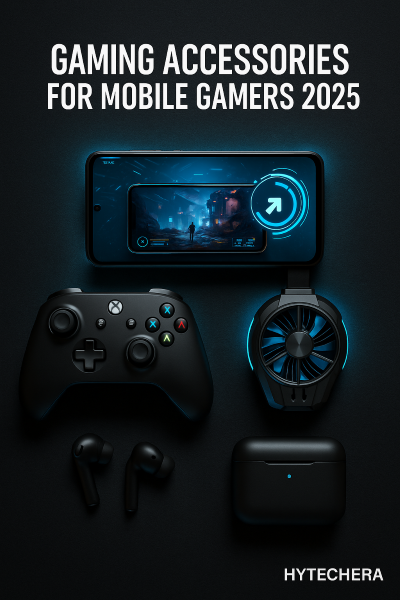
As someone who has spent endless hours optimizing my mobile setup, I learned that not every accessory adds value — some are overrated. This guide focuses only on gear that genuinely improves performance or gives a real competitive edge.
1. What to Look for When Buying Mobile Gaming Accessories in 2025
Before jumping into the list, it’s important to understand how to evaluate gaming accessories in 2025. Today’s phones are more powerful, but they also heat up faster, rely heavily on wireless accessories, and need consistent power management.
A good accessory should solve a real problem — not just look cool. Many gamers waste money on flashy triggers and low-quality fans that break in weeks. Instead, focus on accessories that improve control, comfort, or stability.
Here’s what matters most in 2025:
- Low latency
Bluetooth latency tech has improved, but not every device supports ultra-low delay. Look for accessories with gaming mode or ≤50ms latency support. - Comfort & ergonomics
Long sessions in games like BGMI or CODM require a comfortable grip, stable support, and lightweight gear. - Heat management
With new chipsets running hotter, cooling accessories have become essential for maintaining performance. - Compatibility
USB-C gaming controllers, modern Bluetooth codecs, and support for newer phones (2023–2025 models) matter more now. - Durability
Triggers, fans, and stands should survive heavy use — otherwise they become wasted money.
When I first switched from basic earbuds to low-latency gaming earbuds, my reaction time improved more than I expected. Accessories genuinely make a difference when they match your gaming style.
2.Best Gaming Accessories for Mobile Gamers 2025
Below are the must-have accessories that make the biggest impact for both casual and competitive mobile gamers. These aren’t just gadgets — they solve real problems like overheating, lag, weak controls, and battery drain.
2.1 Mobile Gaming Controller (Best for Precision & Comfort)
A mobile gaming controller gives console-level control and accuracy. Many 2025 controllers connect through USB-C, reducing latency significantly compared to older Bluetooth models. If you play action, racing, RPGs, or cloud gaming titles, a controller transforms the entire experience.
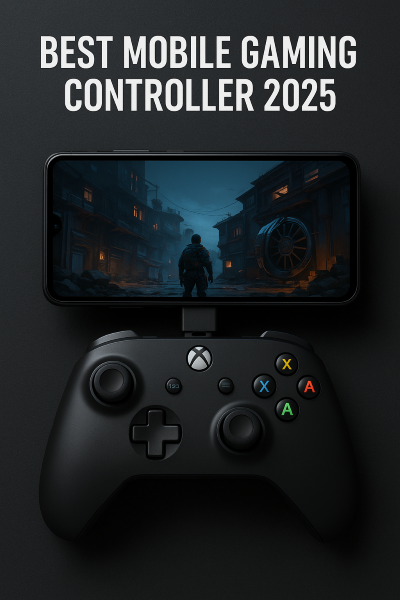
Controllers are especially useful in games like Genshin Impact, Pascal’s Wager, Fortnite Mobile (where supported), and cloud platforms like Xbox Cloud Gaming or GeForce NOW.
Using the right gaming accessories for mobile gamers 2025 can significantly improve aim and control.
Why it’s a must-have:
- Offers precise control
- Reduces thumb strain
- Great for long sessions
- USB-C models provide near-zero latency
When I tried my first USB-C controller on CODM, aiming felt instantly smoother — something I couldn’t achieve with touch controls alone.
2.2 Gaming Earbuds or Headphones (Low-Latency Audio)
Good audio is crucial for mobile gaming, especially in shooters where footsteps, reload sounds, and directional audio decide whether you win or lose. Modern gaming earbuds come with 40–50ms ultra-low latency modes, making them almost as fast as wired headsets.
Wireless earbuds with ANC also help block environmental noise during long gaming hours.
What to look for:
- ≤50ms latency gaming mode
- Bluetooth 5.3 or 5.4
- Clear bass for gunshots
- Comfortable fit
- Long battery life
A small upgrade to low-latency earbuds improved my reaction time in BGMI by a noticeable margin. Hearing footsteps clearly gives a tactical advantage.
Norton highlights the importance of low-latency wireless audio for faster reaction time.
2.3 Clip-On Cooling Fan (Stops Overheating & Frame Drops)
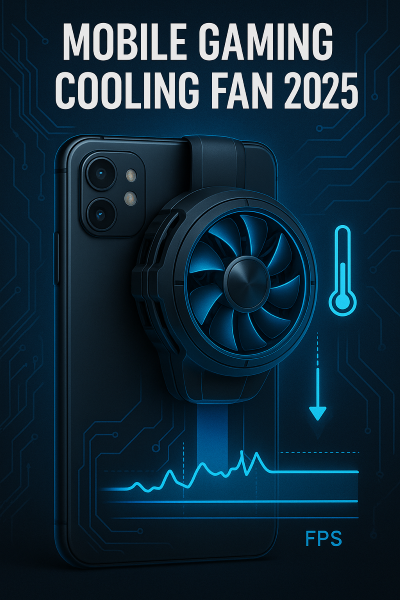
Today’s phones heat up quickly due to high refresh rates and powerful processors. Overheating leads to frame drops, lag spikes, and battery drain. Clip-on cooling fans use semiconductor plates or RGB cooling modules to keep temperatures low during gameplay.
Benefits:
- Prevents thermal throttling
- Stabilizes FPS
- Keeps ping more stable
- Protects battery health
- Works for long gaming sessions
During summer gaming sessions, cooling fans reduced my phone’s temperature from 43°C to around 32–35°C — this alone fixed many performance drops.
Most gaming accessories for mobile gamers 2025 focus on reducing heat and stabilizing FPS during long sessions.
Kaspersky explains how overheating reduces device performance and gaming stability.
Also read –>> Phone Overheating Problem — Real Causes & Easy Fixes
2.4 Finger Sleeves or Trigger Buttons (For Shooter Gamers)
If you play BGMI, COD Mobile, Free Fire, or Valorant Mobile, finger sleeves or trigger buttons can drastically change how fast and accurately you fire. They reduce thumb friction, improve aim, and make sliding / peeking smoother. Touchscreen gaming has one major problem — sweaty fingers create drag and delay. In 2025, finger sleeves solve this cheaply and effectively.
Trigger buttons are also useful for players who want a physical “tap” feel while shooting. High-quality triggers use capacitive or mechanical response for quick clicks.
Why they matter:
- Reduce finger friction
- Improve aim precision
- Faster double-tap shooting
- Great for competitive players
When I first tried finger sleeves, I didn’t expect much. But my aim and movement instantly felt smoother, especially during close-range fights.
2.5 High-Quality Power Bank / Fast Charger (For Long Sessions)
Mobile gamers often underestimate how much battery competitive gaming consumes. Games like Genshin Impact, Free Fire, and Call of Duty Mobile drain 15–25% battery per match. That’s why a reliable power bank or a 33W/67W USB-C fast charger becomes essential in 2025.
Modern USB-C PD chargers also support passthrough stable power, meaning the phone doesn’t overheat while charging during gameplay.
What to look for:
- 10,000–20,000mAh capacity
- USB-C PD 20W–65W
- Smart temperature control
- Lightweight design
I carry a 20,000mAh power bank during long trips. It lets me play 3–4 hours continuously without worrying about battery percentage dropping below 20%.
Also read –>> Reduce Ping in Mobile Games 2025 — Full Lag Fix Guide
2.6 Tempered Glass / Screen Protector (Better Touch + Protection)
A screen protector might not sound exciting, but it is one of the most underrated gaming accessories. In 2025, tempered glasses with oleophobic coating reduce friction on the display, making swipes and flick shots smoother.
Modern screen guards also protect your display from drops, scratches, and finger grease — keeping touch response consistent.
Benefits:
- Smooth sliding for shooting games
- Better touch sensitivity
- Scratch protection
- Reduced smudges
- More comfortable long sessions
Thin, gaming-optimized tempered glass can genuinely improve performance if you rely heavily on swipe movements.
2.7 Phone Stand or Gaming Mount (For Stability & Comfort)
If you play long sessions or stream games, using a phone stand helps maintain posture, reduces wrist strain, and keeps your device from slipping. Adjustable stands support different angles — ideal for RPGs, racing games, or cloud gaming with controllers.
Why it’s useful:
- Prevents hand fatigue
- Keeps phone cool (airflow from the back)
- Better viewing angles
- Works well for cloud gaming + controller setup
When I started using a stand, it felt like a small improvement… but it completely changed my comfort level during 1–2 hour sessions.
2.8 Mobile Gaming Gloves (Optional but Useful for Pros)
Gaming gloves are not as common, but pro-level players use them to maintain grip, reduce sweat, and keep consistent movement even during long matches. They come in half-hand designs, so your fingers stay free for touchscreen movement.
Ideal for:
- Sweaty hands
- Long sessions
- Players who need consistent grip
- Competitive gamers
They are optional, but for some players, this simple accessory reduces mistakes caused by slipping or sweaty hands.
3. Budget vs Premium: What Should You Buy in 2025?
Mobile gamers come in three categories: beginners, casual players, and competitive players. The good news is that you don’t need expensive gear to get better — you only need the right combination.
Even budget-friendly gaming accessories for mobile gamers 2025 offer noticeable upgrades for beginners.
Best Budget Setup (Under ₹1500 / $20):
- Finger sleeves
- Cooling fan (budget model)
- Basic low-latency earbuds
- Tempered glass
This setup alone boosts performance for 80% players.
Mid-Range Setup (₹1500–₹5000 / $20–$60):
- Better cooling fan
- Gaming stand
- Low-latency earbuds
- High-quality power bank
Great for long sessions and regular gamers.
Pro-Level Setup (₹5000–₹15,000 / $60–$150):
- USB-C gaming controller
- Premium cooling system
- ANC gaming earbuds
- Multi-angle phone stand
- Reliable 20,000mAh power bank
This is for serious gamers who play daily or stream.
4. How to Combine Accessories for the Best Results (My Real Setup)
Most gamers buy accessories randomly — a cooling fan here, cheap earbuds there — and end up with a setup that doesn’t actually improve performance. The real improvement comes when your accessories work together as a complete system.
Here’s how I combine mine:
I usually play BGMI and COD Mobile for 1–2 hours in the evening. My main issue earlier was overheating + inconsistent aim. After experimenting with dozens of accessories, I found a setup that keeps my phone cool, my movements smooth, and my audio clear.
My personal mobile gaming setup (2025):
- Low-latency gaming earbuds → footsteps sound accurate
- Clip-on cooling fan → keeps FPS stable
- Gaming stand → better posture + airflow
- Finger sleeves → smooth movement + reduced friction
- 20,000mAh power bank → long sessions without battery anxiety
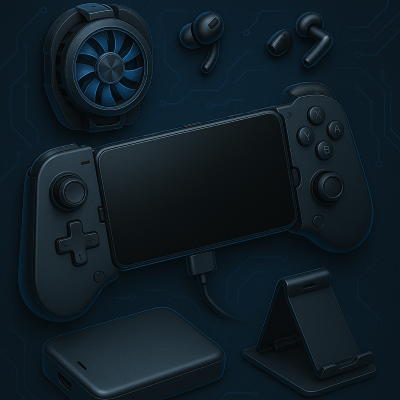
This combination gives me:
✔ lower heat
✔ stable FPS
✔ sharper aim
✔ comfortable gaming posture
✔ longer uninterrupted sessions
Once you find your perfect accessory combo, your gameplay will feel smoother even if you don’t upgrade your phone.
5. Common Mistakes Gamers Make When Buying Accessories (And How to Avoid Them)
Even experienced gamers make simple mistakes that ruin the benefits of accessories.
One mistake I made early on was buying cheap triggers that broke within a week and caused ghost touches. Another was using cooling fans while charging — my phone heated even more.
Avoid these mistakes to save your money AND improve gameplay:
Mistake 1: Buying cheap triggers with high latency
Low-quality triggers delay your tap response.
2: Ignoring heat management
Overheating = frame drops + lag spikes + touch delays.
3: Using covers during gaming
Phone covers trap heat → always remove them for better airflow.
4: Buying accessories without checking compatibility
Some controllers don’t support certain games.
5: Choosing earbuds without gaming mode
Normal earbuds often have >120ms delay.
6: Playing while charging with a cheap cable
Causes overheating and battery damage.
Fixing these mistakes alone improves performance more than many accessories.
6. Conclusion — The Right Accessories Can Transform Your Gaming
Mobile gaming in 2025 demands better control, clearer audio, stable FPS, and reliable cooling. Accessories are no longer “extras” — they are essential tools that enhance your performance, comfort, and consistency.
If you’re unsure where to start, here’s a simple recommendation:
Best Starter Kit for Most Gamers:
- Low-latency gaming earbuds
- Clip-on cooling fan
- Finger sleeves
- 10,000mAh or 20,000mAh power bank
This setup alone improves gameplay for 90% of mobile gamers.
You don’t need the most expensive gear — you only need the right gear that fits your gaming style. Once you use the right accessories, you’ll notice smoother movement, better aim, stable FPS, and fewer heating issues. Take your time, build your perfect setup, and enjoy your gaming sessions with confidence.
FAQs — Common Questions Mobile Gamers Ask in 2025
- 1. Are gaming controllers worth it for mobile games?
Yes — especially for RPGs, adventure, racing, and cloud gaming. For shooters, it depends on whether the game allows controllers
- 2. Are wired headphones better than wireless for gaming?
Yes, wired is the lowest latency.
But 2025 Bluetooth earbuds with ≤50ms gaming mode are excellent too. - 3. Do cooling fans really make gameplay smoother?
Absolutely. Cooling fans prevent thermal throttling, which keeps FPS stable
- 4. What is the minimum battery capacity needed for mobile gaming?
A 10,000mAh power bank is enough for casual gaming.
Serious players should use 20,000mAh. - 5. Should I buy finger sleeves?
If you play BGMI, CODM, Free Fire, or Valorant Mobile — YES.
They improve aim, movement, and reduce friction. - 6. Are mobile gaming gloves useful?
Only if your hands sweat a lot or you play long sessions.
- 7. What is the most important accessory for beginners?
A good cooling fan + low-latency earbuds.
Because they improve FPS AND reaction time.