In 2026, creating a resume is no longer just about listing your education and experience. Most companies now use ATS (Applicant Tracking Systems) to filter resumes before a recruiter ever sees them. If your resume is not structured correctly, it gets rejected automatically — even if you are qualified. This guide covers the best free AI resume builder tools in 2026 to create ATS-friendly, job-ready resumes without professional help.
That’s why many job seekers are now turning to free AI resume builder tools. These tools help you create ATS-friendly, job-ready resumes in minutes, without needing design skills or professional writers.
Here we explains how AI resume builders work, why ATS matters in 2026, and what you should look for before choosing a free tool.
Why Resume Rejections Are Increasing in 2026
Many candidates believe they are not getting interview calls because of competition. In reality, the bigger reason is resume filtering by software, not humans.
Modern ATS systems scan resumes for:
- Job-specific keywords
- Skill relevance
- Clear role descriptions
- Standard resume sections
- Simple formatting
If your resume uses tables, icons, fancy designs, or missing keywords, the system may reject it instantly.
This happens before a recruiter opens your resume.
What Is an AI Resume Builder?
An AI resume builder is a tool that uses artificial intelligence to help you create a professional resume automatically.
Instead of writing everything manually, you:
- Enter your role, experience, and skills
- Choose a job title or job description
- Let the AI generate optimized content
The AI then:
- Improves wording
- Suggests relevant skills
- Aligns content with ATS rules
- Formats everything professionally
This saves time and reduces common resume mistakes.
Why ATS-Friendly Resumes Matter More Than Ever
In 2026, ATS software is smarter than before. It doesn’t just scan keywords — it also checks context and relevance.
Most companies use Applicant Tracking Systems (ATS) to filter resumes before human review.
An ATS-friendly resume usually:
- Uses simple fonts and layouts
- Avoids graphics and images
- Has clear headings like Experience, Skills, Education
- Matches keywords from job descriptions naturally
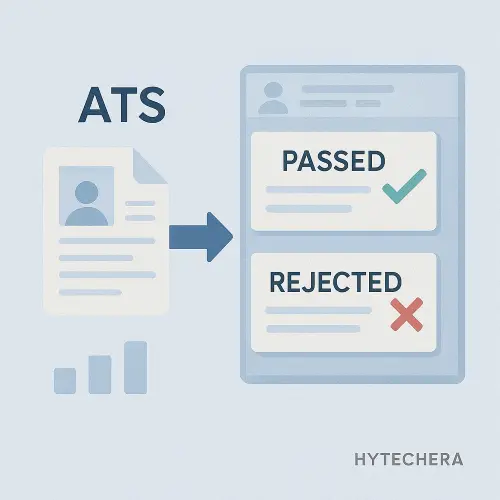
AI resume builders are designed to follow these rules by default, which is why they work better than manually edited resumes.
Also read–>> How to Fix Phone Storage Full Without Deleting Apps
Who Should Use Free AI Resume Builder Tools?
These tools are especially useful for:
- Freshers and students creating their first resume
- Career switchers entering new industries
- Professionals applying to many jobs
- Non-native English speakers
- Anyone struggling with resume wording or structure
Even experienced candidates use AI builders to improve clarity and keyword matching.
Benefits of Using Free AI Resume Builders
Using free AI resume builder tools in 2026 offers several advantages:
- Faster resume creation
- ATS-optimized content
- Professional language improvement
- Easy editing and updates
- Multiple resume versions for different roles
Most good tools also allow PDF or DOC downloads, which is essential for job applications.
What to Check Before Choosing a Free AI Resume Tool
Not all “free” tools are actually useful. Before using any AI resume builder, make sure it offers:
- ATS-friendly templates
- Free resume download (not just preview)
- Editable content
- Skill and keyword suggestions
- No forced watermark
- Basic privacy protection
Some tools generate resumes but lock downloads behind payment — those are not ideal for beginners.
While helping a few friends apply for IT and non-IT roles recently, I noticed a clear pattern: resumes created manually were rarely shortlisted. Once they switched to ATS-friendly AI resumes — without changing skills or experience — interview calls started coming in.
That experience made it clear that resume structure and keyword alignment matter as much as qualifications.
Top Free AI Resume Builder Tools You Can Actually Use
Now that you understand why ATS-friendly resumes matter and how AI resume builders help, let’s look at the best free AI resume builder tools in 2026 that real job seekers are using.
I’m not listing every tool on the internet.
Only tools that meet three strict conditions:
- Usable for free (not just preview)
- ATS-friendly structure
- Practical for real job applications
1. LiveCareer AI Resume Builder (Best for Structured, ATS-Safe Resumes)
LiveCareer is one of the most trusted resume platforms globally, and in 2026 its AI-assisted builder is especially useful for people who want clean, recruiter-readable resumes.
Instead of flashy designs, LiveCareer focuses on structure, clarity, and keyword alignment. The AI suggests role-based bullet points and helps you phrase experience in a professional, results-oriented way.
Recruiters also recommend following standard resume formatting guidelines to improve readability.
Why this tool works well
- Uses ATS-compatible templates
- AI suggests experience points based on job role
- Strong section formatting (skills, experience, education)
- Good for both freshers and experienced professionals
Who should use this:
If you’re applying to corporate, MNC, or traditional companies where ATS filtering is strict.
Who should avoid:
If you want highly creative or design-heavy resumes.
2. MyCVCreator (Best for Free Resume Downloads Without Confusion)
Many “free” resume tools allow you to build a resume but lock downloads behind payment. MyCVCreator stands out because it actually lets users download resumes without aggressive paywalls.
The AI helps fill content quickly and keeps formatting simple, which is exactly what ATS systems prefer.
Why it’s useful
- Free resume downloads available
- Simple, ATS-friendly layouts
- Easy editing for beginners
- Good balance between design and readability
Who should use this:
Freshers, students, or job seekers who want a fast resume without complexity.
3. TalentAnywhere AI Resume Builder (Best for Skill-Based Profiles)
TalentAnywhere focuses more on skills and role matching, which makes it useful for tech roles, freelancers, and people applying across platforms.
The AI emphasizes:
- Skill relevance
- Clean summaries
- Easy section editing
It’s especially helpful if you’re not sure how to describe your experience properly.
Key strengths
- Skill-focused resume structure
- Simple AI-generated summaries
- Clean export formats
- Works well for IT and digital roles
This tool works best when you already know your skills but struggle with wording them professionally.
4. Zapier-Recommended Resume Builders (Good for Comparisons, Not Just One Tool)
Zapier doesn’t offer a resume builder itself, but its curated list of resume tools helps you compare multiple AI builders based on needs.
Instead of blindly picking one tool, you can see:
- Which tools are better for automation
- Which are better for beginners
- Which allow free downloads
This is useful if you want to experiment before settling on one builder.
5. AutoPPT-Listed AI Resume Generators (Good for Tool Discovery)
AutoPPT maintains an updated list of AI resume generators, including newer tools that don’t always appear in Google search results.
Use this when:
- You want alternatives
- Your current tool feels limited
- You want niche or lightweight AI resume builders
Just remember: not every tool listed will be fully free — always check download limits.
Also read –>> Best Free AI Note-Taking Apps for Android in 2026 (Smart Notes Guide)
Free vs Paid: When Should You Upgrade?
You do not need to pay if:
- You’re a fresher
- You’re applying to entry or mid-level roles
- You just need a clean ATS resume
Consider paid upgrades only when:
- You apply to many roles daily
- You want resume + cover letter bundles
- You want role-specific keyword optimization
- You want ATS score checking
Most people get interview calls using free versions alone.
When helping friends apply for jobs recently, we tested both paid and free resume builders. Surprisingly, resumes created using free ATS-friendly tools performed just as well as paid ones — as long as the structure and keywords were correct.
This reinforced one thing: Structure beats design. Always.
How to Choose the Right Tool, Avoid Mistakes & Get Interview Calls
At this point, you already know which free AI resume builder tools exist.
What actually decides results in 2026 is how you use them, not which tool you pick.
This final part focuses on decision clarity, customization strategy, mistakes to avoid, and recruiter-oriented thinking.
Which AI Resume Builder Is Best for You?
Instead of asking “Which tool is best overall?”, ask “Which tool fits my situation?”
If you are a fresher or student
- Choose a tool with:
- Simple templates
- Skill suggestions
- Guided sections
- Avoid complex customization
Best fit: MyCVCreator, LiveCareer (basic templates)
If you are an experienced professional
- Look for:
- Role-specific bullet suggestions
- Experience-driven summaries
- Editable achievements
Best fit: LiveCareer, TalentAnywhere
If you are switching careers
- Focus on:
- Skill-based resumes
- Transferable skills
- Clean summaries
Best fit: TalentAnywhere + keyword-focused templates
If you are applying to many jobs weekly
- Choose:
- Fast editing
- Multiple resume versions
- Clean exports
Best fit: LiveCareer (free tier) + structured templates
How to Customize an AI Resume for Each Job
Most people fail here.
They generate one AI resume and send it everywhere.
That reduces success drastically.
What you SHOULD do instead:
- Generate the resume once
- Then edit keywords for each job description
- Match:
- Skills
- Tools
- Job titles
- Responsibility wording
You don’t need to rewrite everything — just align language.
Professional rule:
👉 One resume = one job role
👉 Not one resume = all jobs
Common Mistakes People Make With AI Resume Builders
Avoid these if you want interview calls.
❌ Blindly trusting AI output
AI gives a starting point — not the final answer.
❌ Using design-heavy templates
Looks good to humans, fails ATS.
❌ Overloading with keywords
ATS prefers natural placement, not stuffing.
❌ Leaving generic summaries
Always customize the summary for the role.
❌ Ignoring achievements
Recruiters care more about results than duties.
What Recruiters Actually Look For in 2026
Based on modern hiring trends:
- Clear role alignment
- Easy-to-scan layout
- Relevant skills (not long lists)
- Logical experience flow
- Simple formatting
- Honest, measurable impact
AI resume builders help — but your final editing matters most.
When resumes were customized slightly for each role — even using the same AI tool — callback rates improved noticeably. The biggest difference wasn’t the tool, but matching the resume language to the job description.
That small adjustment made AI resumes feel “human-approved,” not machine-generated.
Final Conclusion
In 2026, job applications are no longer about writing resumes from scratch.
They’re about structure, clarity, and relevance.
Free AI resume builder tools help you:
- Save time
- Avoid ATS rejection
- Present skills professionally
- Compete with better-formatted resumes
Used correctly, they are an advantage, not a shortcut.