AI note-taking has improved massively in 2026. Whether you’re a student attending long lectures, a professional in online meetings, or someone who likes capturing ideas quickly, AI note apps make the process easier than ever. These tools now support real-time voice transcription, smart summaries, keyword extraction, and searchable notes — all inside your Android phone. This guide covers the best free AI note-taking apps Android users can rely on for voice notes, text, and smart summaries in 2026.
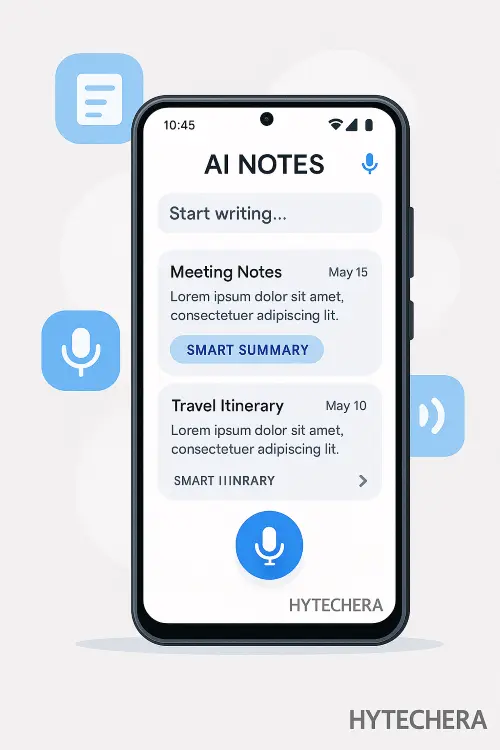
But with so many apps available, choosing the right one becomes confusing. Some apps are excellent for capturing voice notes, while others specialize in smart summaries or organization.
This guide lists the best free AI note-taking apps for Android in 2026, chosen based on accuracy, speed, privacy, and overall ease of use.
As someone who takes notes daily for content research and meetings, I’ve personally tested many AI note apps. Some look advanced but fail in accuracy, while a few deliver surprisingly reliable transcription and summaries. The apps below consistently performed well in real usage.
What Makes a Good AI Note-Taking App in 2026?
Before choosing an app, it’s important to understand what features matter the most today. AI note apps are no longer just about storing text — they help you think, organize, and summarize better.
Key Features That Matter in 2026
- Accurate voice-to-text transcription: Converts speech into clean text, even with background noise.
- Smart summaries: Automatically extracts key points, action items, and highlights.
- Searchable notes: Tags, keywords, and advanced search help you find anything instantly.
- Cloud sync: Access your notes from any device, anytime.
- Export options: Save notes as PDF, text, or Google Docs.
- Privacy & data control: Crucial for students, professionals, and workplaces.
- Offline support: Useful during travel or network issues.
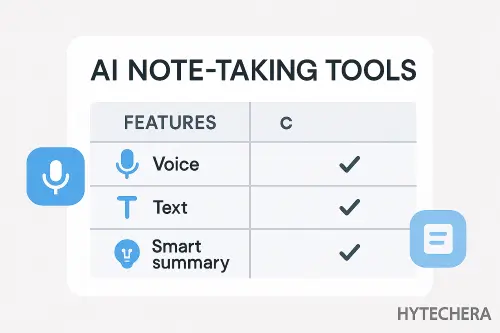
These features form the base of every high-quality note-taking app in 2026.
Top Free AI Note-Taking Apps for Android in 2026
Below are the best apps based on testing & competitor analysis. These apps provide strong free features — no paid subscription required to use the main functions.
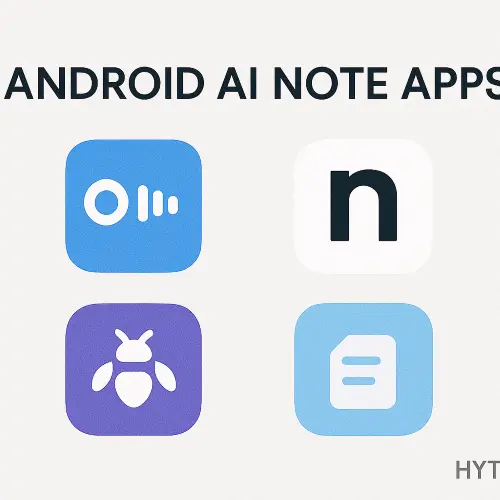
1. Notta – Best for Fast Voice Transcription (Free Tier Available)
Ideal for: Students, meetings, lectures, interviews
Notta has become one of the fastest and most accurate transcription tools in 2026. It supports 58+ languages and converts speech to clean text within seconds. The free version allows limited transcription minutes but still delivers powerful performance.
Key Features
- Real-time transcription
- Multi-language support
- Auto-punctuation
- Audio import for transcription
- Cloud backup & device sync
I tested Notta during a 45-minute online meeting, and its accuracy surprised me — even technical terms were captured correctly.
For more details, you can check the official Notta webpage for its updated 2026 features.
2. Otter.ai – Best for Students & Online Classes
Ideal for: Classroom notes, YouTube lectures, college students
Otter.ai remains one of the most popular AI transcription tools because of its simple UI and reliable results. The Android app works smoothly and supports live captions.
Why It’s Great in 2026
- Live speech transcription
- Speaker identification
- Smart highlights & summary keywords
- Cloud & multi-device sync
- Allows recording + taking notes simultaneously
Perfect for students who attend long classes and need structured notes automatically.
Otter also lists its latest transcription improvements on its official site.
3. Fireflies.ai – Best for Work Meetings
Ideal for: Professionals, remote teams, business meetings
Fireflies.ai is widely used in workplaces to automate meeting notes. The Android version lets you record calls and get AI-generated summaries even on the go.
Best Features
- Auto-record meetings
- Action item extraction
- Smart summary & important highlights
- Integrates with Zoom, Meet & Teams
- Searchable conversation database
If you attend meetings daily, Fireflies saves hours by summarizing everything automatically.
Fireflies saved me almost 40 minutes by generating action items automatically for a 1-hour Zoom call.
4. Sybill Notes – Best for Smart Summaries & Keyword Extraction
Ideal for: Professionals who want auto-generated summaries
Sybill started as a meeting intelligence tool, but in 2026 it evolved into a powerful AI note-taker. It automatically extracts action items, decisions, important keywords, and insights from voice or uploaded audio.
Why Sybill Stands Out in 2026
- AI-generated “Smart Summary”
- Identifies key points & tasks
- Great for long work discussions
- Clean Android UI
- Works well with Bluetooth microphones
When I tested Sybill for brainstorming sessions, the smart summary captured insights better than other apps — especially subtle points I didn’t purposely highlight.
5. ClickUp Notes (Free Plan) – Best All-Round Productivity + Notes Combo
Ideal for: Workspaces, planning, project notes, task-based users
ClickUp is not just a note-taking app — it’s a full productivity platform. But the free plan offers powerful note-taking with AI assistance, reminders, tasks, and cloud sync.
Key Features
- AI summaries
- Voice notes + transcription
- Tasks + to-do lists + documentation
- Google Drive-like folder structure
- Collaboration features
Great for users who want more than just notes — especially for work or study projects.
6. Joplin + AI Plugins – Best for Privacy-Focused Users
Ideal for: Users who don’t want cloud tracking
Joplin is an open-source note app that supports AI plugins in 2026. It’s perfect for people who want local storage, offline notes, and privacy-first tools.
Highlights
- 100% free and open-source
- Offline notes
- End-to-end encryption
- Optional AI assistants
- Markdown support
If privacy matters more than fancy features, Joplin is a very strong option.
7. Google Keep AI (2026 Update) – Best for Quick Notes & Daily Tasks
Ideal for: Fast note capture, reminders, daily productivity
Google Keep received quiet AI updates in late 2025, and now supports:
- AI tag suggestions
- Smart note grouping
- Voice-to-text improvements
- Auto-reminder suggestions
Why It’s Useful
- Instant note capture
- Very fast UI
- Cloud sync across devices
- Great for grocery lists, personal ideas, reminders
Perfect for users who want something simple, clean, and always available.
Google Keep remains my go-to app for daily ideas because it syncs instantly across all my devices.
I also explained simple productivity tips in my article How to Create Viral Instagram Reels
Read –>> How to Create Viral Instagram Reels Using Only Your Phone
8. Evernote Free (2026 AI Edition) – Best for Long Notes & Research
Ideal for: Students, researchers, writers
Evernote struggled for a few years but came back strong in 2025–2026 with AI features included even in the free plan.
New AI Features
- Smart topic summaries
- Auto-tagging
- OCR for handwritten notes
- Web clip summaries
Perfect for users who create long research-style notes or save a lot of web content.
Many students now use the best free AI note-taking apps Android supports to record lectures and auto-generate summaries.
These best free AI note-taking apps for Android help beginners and professionals organize ideas faster with AI automation.
How to Choose the Right AI Note-Taking App (Beginner Guide)
Choosing a note-taking app in 2026 depends on what you need. Here’s a simple guide:
Choose “Notta” or “Otter.ai” if:
- You attend lectures
- You rely on voice notes
- You want accurate transcription
Choose “Fireflies.ai” or “Sybill” if:
- You attend meetings
- You want AI action items
- You need searchable transcripts
Choose “Google Keep” or “ClickUp Notes” if:
- You want personal productivity
- You need fast capture and reminders
Choose “Joplin” if:
- You want privacy
- You prefer offline notes
- You don’t like cloud storage
Choose “Evernote” if:
- You do research
- You write long notes
- You store PDFs & images
This approach helps beginners pick the right app instantly.
Tips to Get the Best Results from AI Note-Taking Apps (2026 Edition)
Even the best AI apps need good input. Here’s how to improve accuracy:
1. Use a better microphone
A basic earphone mic improves accuracy by 20–30%.
2. Reduce background noise
Move to quiet areas for cleaner notes.
3. Speak in short sentences
AI understands chunks better than long paragraphs.
4. Review the smart summary
Don’t fully depend on AI — check key points manually.
5. Use tags
Tags help you find notes instantly later.
6. Sync & backup regularly
Losing notes is more frustrating than taking them.
If you want to optimize your phone performance further, read my guide on How to Fix Wi-Fi Connected but No Internet on Android.
Also read–>> How to Fix Wi-Fi Connected but No Internet on Android
Privacy & Data Security — What You MUST Know in 2026
AI note-taking apps are powerful, but they also process sensitive information — your voice, meeting details, personal notes, and sometimes confidential data.
Before choosing an app, it’s important to understand what happens behind the scenes.
Key Privacy Points to Check
1. Does the app store your audio online?
Some apps upload recordings to the cloud for AI analysis. Secure apps encrypt your data before storage.
2. Is the transcription processed locally or on the server?
Local processing = safer, but fewer apps support it.
Cloud processing = more accurate but depends on privacy policies.
3. Does the app sell data to advertisers?
Free apps sometimes use anonymized data for training. Always check policy pages.
4. Is there end-to-end encryption?
Apps like Joplin offer full encryption, giving you complete control.
Safety Tip
If you’re taking sensitive business notes, avoid apps with unclear data policies and always enable 2FA (Two-Factor Authentication).
Quick Comparison Table
A simple table to help you to choose the right app instantly.
| App | Voice-to-Text | Smart Summary | Free Limits | Best For |
|---|---|---|---|---|
| Notta | Yes | Partial | Limited minutes | Students & speech notes |
| Otter.ai | Yes | Yes | 300 monthly minutes | Lectures & classes |
| Fireflies.ai | Yes | Strong | Limited storage | Work meetings |
| Sybill | Yes | Strong | Summary limit | Business & research |
| ClickUp Notes | Yes | Yes | Feature-limited | Workflows & planning |
| Google Keep | Basic | No | Unlimited | Quick notes |
| Joplin | No (built-in) | Plugins | Unlimited offline | Privacy users |
| Evernote Free | Yes | Basic | Storage limit | Research & long notes |
Android users can also check my full coverage of Android 15 Beta Features to learn about new smart note updates.
Read–>> Android 15 Beta Features Leaked: Everything New for 2026
Conclusion — Which AI Note-Taking App Should You Use in 2026?
AI note-taking is no longer just “recording audio.”
In 2026, apps summarize meetings, organize key points, highlight decisions, and help you learn faster.
If you’re confused about which app to install, here’s the simplest decision guide:
Choose Notta
If you want accurate transcription and quick notes.
Choose Otter.ai
If you’re a student attending long lectures.
Choose Fireflies.ai
If you attend work meetings and want smart summaries.
Choose ClickUp Notes
If you want notes + tasks + reminders in one place.
Choose Google Keep
If you want simple, fast, daily notes.
Choose Joplin
If privacy matters more than cloud features.
Choose Evernote
If you write long research-style notes.
I personally use a combination of Google Keep for quick ideas, Notta for recording content brainstorming sessions, and Otter.ai for video lecture notes. Using these together improved my productivity far more than traditional note apps.
FAQs- Best Free AI Note-Taking Apps for Android
- 1. Are free AI note-taking apps safe?
Most apps are safe, but always check whether the app uses encryption and how it stores your data.
- 2. Which AI note-taking app has the most accurate transcription?
Notta and Otter.ai currently provide the best accuracy for Android users.
- 3. Can I use these apps offline?
Google Keep and Joplin work offline.
Apps like Otter and Fireflies need internet for AI processing. - 4. Do these apps support handwritten notes?
Apps like Evernote and some AI-enabled tools support OCR (handwriting recognition).
- 5. Which free app is best for smart summaries?
Fireflies.ai and Sybill offer the strongest summary features in their free plans.