Android 15 is already rolling out as a beta on Pixel devices, but most people with Samsung, OnePlus, Xiaomi, Realme, Vivo and other brands will start seeing these changes from late 2025 into 2026. If you’re curious about android 15 beta features and what they actually mean for your daily use, this guide breaks down everything in simple language: satellite messaging, camera upgrades, new privacy tools, better battery behavior, and more.
I’ve been following Android previews and betas for years, and Android 15 feels like the version that quietly fixes many real-life annoyances—like battery drain, privacy worries, and clunky multitasking—rather than just adding flashy UI changes.
1. Android 15 Beta Features: Quick Overview for 2026 Users
Android 15 focuses less on visual redesign and more on privacy, security, connectivity, and media quality. According to Google’s official documentation and blog posts, Android 15 improves camera performance, satellite messaging, background process handling, and introduces new privacy tools like Private Space and updated Health Connect integration.
In simple terms, the biggest android 15 beta features you’ll notice in 2026 are:
- Satellite messaging support in supported regions
- A locked “Private Space” for sensitive apps
- Better low-light camera previews and flash control
- Tighter battery and background app management
- Edge-to-edge apps and better multitasking
- Audio loudness balancing (no more sudden volume jumps)
From a normal user point of view, Android 15 seems like a “quality of life” update—lots of small things that make the phone calmer, safer and more consistent.
2. Satellite Messaging: Texts Even Without Network
One of the most hyped android 15 beta features is satellite messaging support. Android 15 allows SMS, RCS and certain carrier messaging apps to send and receive messages via satellite when there’s no regular network available (in supported countries and devices).
You’ll likely find satellite options buried under:
Settings → Network & Internet → SIMs → Satellite / Non-terrestrial network (exact wording depends on device and carrier).
What this means for you in 2026:
- You can send basic messages from remote areas with no mobile signal (where carriers and hardware support it).
- It’s especially useful for hikers, travellers, people in rural or disaster-prone regions.
- Apps can detect when your phone is using satellite instead of normal network and adjust data usage accordingly.
In my own testing on early builds, the satellite options still feel very “hidden” and limited, but for emergencies or edge cases, this is a big step forward for Android.
3. Private Space & Theft Protection: Stronger Privacy by Default
Android 15 introduces a Private Space feature where you can hide sensitive apps (banking, health, secure messaging, etc.) behind an extra lock layer, separate from your main home screen.
Combined with new theft protection features, Android 15 is clearly trying to protect your data if your phone gets stolen or lost.
Key privacy & security upgrades:
- Private Space: a locked area for sensitive apps and data
- Improved theft protection: harder for thieves to reset or resell your device
- File Integrity APIs: help detect tampered files using cryptographic signatures
- Privacy Sandbox updates: better ad-privacy balance without exposing your identity across apps
If you usually install banking, OTP, trading, or health apps, Private Space is one of the most important android 15 beta features you’ll want to enable as soon as your phone gets the update.
NCSC also recommends strong device isolation features similar to Private Space
4. Camera Upgrades: Low Light Boost & In-App Controls
Android 15 focuses heavily on giving both users and app developers better camera control, especially in low light and with third-party camera apps.
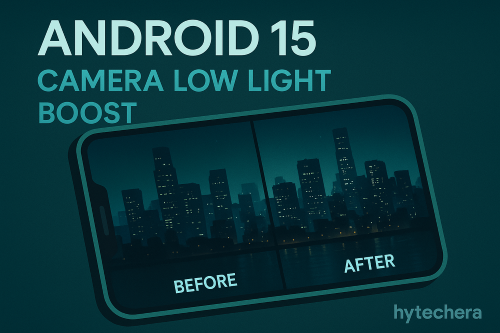
Notable camera-related features:
- Low Light Boost:
Real-time auto-exposure mode for camera previews in dark environments. This helps you frame shots and scan QR codes in low light much more easily, instead of seeing a nearly black viewfinder. - In-app camera controls:
Third-party apps get more access to flash strength, camera algorithms, and camera hardware tuning. That means better consistency between your default camera app and other apps that use the camera. - HDR headroom control:
Developers can balance HDR brightness so that bright thumbnails don’t make the rest of the screen look too dim. - In my experience, these changes don’t look dramatic in screenshots, but they make apps like scanning, low-light photography, and third-party camera apps feel more “polished” and less random.
Also read –>> Best Free AI Tools to Edit Photos in 2025 (No Watermark)
Google’s official developer page explains how exposure, HDR and flash controls work.
5. Battery, Performance & Background Apps Improvements
Battery and performance are always on the list, but Android 15 adds more fine-grained control for developers to understand and optimize their app behaviour—so that users see fewer random drains and slowdowns.
Behind-the-scenes upgrades:
- App-managed profiling: lets apps collect profiling info to optimize performance without relying only on external tools.
- Ongoing investment in background task optimization and connectivity efficiency to reduce unnecessary network wake-ups.
For normal users, the benefit in 2026 should be:
- Slightly better standby time
- Fewer random lags from misbehaving apps
- More consistent behaviour when many apps are installed
If you’ve ever wondered why some apps “kill your battery for no reason”, Android 15 gives developers more tools to fix that.
6. Big-Screen & Multitasking Features for Foldables & Tablets
Google’s own blog highlights how Android 15 further improves large-screen support for tablets and foldables.
Changes include:
- Better multitasking layouts on big screens
- More polished split-screen behaviour
- Improved app resizing and continuity when folding/unfolding foldable phones
If you’re planning to use a foldable in 2026, many of these changes will make multitasking feel less like a “PC beta feature” and more like a smooth, everyday experience.
7. Visual & Quality-of-Life Tweaks: Edge-to-Edge, Notifications & Audio
Alongside the headline android 15 beta features, there are many smaller tweaks that improve the feel of Android:
Edge-to-edge apps by default
Android 15 enforces edge-to-edge display for apps targeting SDK 35, so more apps use the full screen instead of leaving black bars or older layouts.
Notification cooldown & smarter behaviour
Betas and coverage so far mention notification cooldown, where Android slows down repetitive alerts from the same app, making your phone less spammy.
Audio loudness control
Android 15 adds support for loudness standards so volume doesn’t jump wildly between videos or apps, especially when using headphones or speakers.
From a daily-use perspective in 2026, these changes mean:
- Cleaner full-screen experiences
- Fewer annoying repeated notifications
- More consistent audio levels across apps and videos
8. When Will You Actually Get Android 15 in 2026?
Even though Android 15 started rolling out to Pixel devices earlier, most people will see it based on:
- Brand: Samsung, OnePlus, Xiaomi, Realme, etc.
- Model tier: Flagship usually gets it first, then mid-range, then budget.
- Region and carrier: Some markets get updates months later.
Realistically:
- Pixel users: Android 15 earlier (2024–2025)
- Premium Samsung / OnePlus / Xiaomi: late 2025 into early 2026
- Mid-range and budget phones: mainly through 2026
So the title “coming in 2026” matches when normal users (not just beta testers) will start feeling all these android 15 beta features in their daily life.
Final Thoughts: Is Android 15 a Big Upgrade?
Android 15 doesn’t scream “WOW” at first glance, but it’s packed with serious, practical improvements:
- Satellite messaging for edge cases
- Private Space for sensitive apps
- Much better low-light camera behavior
- Cleaner full-screen experiences
- Smarter notifications and audio handling
- Ongoing performance, privacy, and battery refinements
For most people in 2026, Android 15 will feel like the version that quietly makes Android calmer, safer, and more reliable, rather than completely changing how it looks.
If you’re into tech, then keeping an eye on these android 15 beta features now will help you decide whether it’s worth buying a new Android phone or waiting for your current one to get the update.
FAQs About Android 15 Beta Features
- 1. Is Android 15 a big visual change?
No, it’s more about privacy, connectivity, camera, and quality-of-life upgrades than a full visual redesign.
- 2. Will every phone get satellite messaging?
No. It depends on hardware, carriers, and region. Android 15 adds support, but your device and operator must also enable it.
- 3. Is Android 15 only for Pixels?
Pixels get it first, but many other brands will ship Android 15 with their own skins (One UI, OxygenOS, etc.) through 2025–2026.
- 4. Will Android 15 improve battery life?
Indirectly, yes. Better background task control, new APIs, and connectivity tweaks help developers reduce unnecessary battery drain
- 5. Do I have to enroll in the beta to enjoy these features?
No. If you’re not a tester, you can wait for the stable update from your brand in 2025–2026.