App permissions vs passwords is a crucial security debate on smartphones, because permissions control ongoing access to your data long after login.
Imagine this scenario:
You install a new app — a game, a utility, or even a simple photo editor — and during setup, it requests access to your camera, contacts, location, storage, and even your microphone.
You might think, “It’s just an app. I trust it.”
So you hit Allow without thinking much.

But here’s a reality many smartphone users still don’t grasp:
On modern smartphones, app permissions can expose more sensitive access than passwords.
In many situations, permissions determine what an app can actually do with your data — not just what it can see.
Passwords protect accounts. Permissions protect access to your personal data and system features. And in 2025, with apps becoming more integrated and powerful, permissions are one of the biggest privacy management points on mobile devices.
This guide explains exactly why permissions matter more than passwords, how they affect your privacy and security, and how you can take control — without fear or guesswork.
Why Permissions Are So Powerful
Smartphones today are data hubs. They hold your contacts, messages, photos, calendars, location, biometrics, and more. Unlike desktop systems, mobile platforms grant fine-grained access control to apps through permissions.
A password protects one layer — the login to an account. But a permission can unlock access to multiple features and streams of personal data that your apps interact with every day.
Permissions are about ongoing access, not one-time authentication.
Understanding the Difference: Passwords vs Permissions
Passwords
- Authenticate a user or an account
- Prevent unauthorized login
- Work at the identity layer
Passwords guard the entrance to your accounts, but they don’t control what an app does once it’s installed and authenticated.
Permissions
- Govern access to features and data
- Grant ongoing access
- Affect system resources and personal data
Permissions determine whether an app can:
- Read your contacts
- Access your camera or microphone
- Track your location
- Read storage files
In many cases, if an app has permissions but not your password, it can still do more than an app with a password but no permissions.
Why Permissions Matter So Much
This topic isn’t just theoretical. As apps grow larger and more integrated with AI, they request access to sensitive data for features like:
- Personalized recommendations
- Location-based services
- Camera-assisted search
- Audio analysis
These features often require multiple permissions. Without them, the app might not function fully — but granting them without understanding the implications can expose you to:
- Privacy leakage
- Unintended tracking
- Background data access
- Security risks
In fact, research and mobile security discussions now emphasize permission management as a critical layer of mobile security — sometimes even more crucial than password hygiene, especially for apps dealing with personal data.
In my own experience, I once gave location permission to an app that didn’t need it. Within hours, my device battery drained faster and my location was used for features I never opted into. It wasn’t a compromised account — it was a permission allowing ongoing sensor access.
This is the real difference:
Passwords control entrance.
Permissions control ongoing access.
The Permissions That Matter the Most
Not all permissions are equally risky. Some are harmless and necessary, while others quietly give apps access to parts of your phone that most users never realize they’re exposing.
Understanding which permissions matter most is the key to protecting your smartphone in 2025–2026.
Location Permission: More Than Just Maps
Location access is one of the most powerful permissions on a smartphone.
When an app has location permission, it can:
- Track where you go
- Infer habits (home, work, travel routines)
- Combine location data with other app activity
Even when set to “Allow only while using the app,” some apps request frequent foreground access, effectively keeping location active more often than expected.
The danger here isn’t just tracking — it’s profiling. Location data combined with usage patterns can reveal more about a person than a leaked password ever could.
This comparison shows how app permissions vs passwords differ in real-world privacy impact.
Also read –>> Google Play Services Battery Drain: Why It Happens & How to Stop It
Microphone & Camera: Always-On Sensors
Permissions for microphone and camera are extremely sensitive because they control real-time sensors.
Apps with microphone access can:
- Detect ambient sound
- Analyze voice input
- Remain active in the background under certain conditions
Camera access allows:
- Image capture
- Facial recognition features
- Visual scanning for AI-powered functions
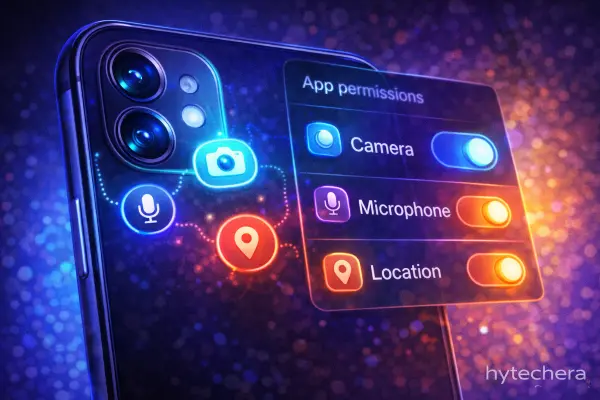
Modern operating systems show indicators (green or orange dots), but users still often ignore them. Once granted, these permissions enable continuous capability, not just one-time use.
Contacts & Call Logs: Social Mapping
Many users underestimate contact permissions.
Access to contacts allows apps to:
- Read names, numbers, and emails
- Build social graphs
- Match your contacts with other users
This information can be used for recommendations, syncing, or analytics. Even if your account is secure with a strong password, permission-based access exposes third-party data — not just your own.
Storage Access: Silent Data Exposure
Storage permissions allow apps to:
- Read files
- Scan media
- Cache and analyze content
In earlier Android versions, storage access was broad. Newer versions restrict this, but many apps still request extended file access for “convenience.”
This permission matters because:
- Files often contain metadata
- Media files reveal location and time
- Cached data accumulates silently
Why These Permissions Are Riskier Than Passwords
Here’s the key insight:
A password protects an account.
A permission controls what an app can continuously access.
Even if:
- Your password is strong
- Two-factor authentication is enabled
- Accounts are secure
A poorly granted permission can still:
- Drain battery
- Track activity
- Access sensitive data
This is why modern privacy discussions increasingly focus on permission hygiene, not just password hygiene.
Mobile privacy experts highlight that permission misuse often causes greater long-term exposure than weak passwords.
Common Misconception: “Trusted Apps Are Safe”
Many users assume popular apps are automatically safe.
In reality:
- Popular apps collect more data
- Feature-rich apps request more permissions
- Updates can introduce new access requests
Trust doesn’t eliminate the need for control.
I’ve personally noticed that apps requesting microphone or location access tend to show higher background activity and battery usage. The issue wasn’t account security — it was permission scope.
This is a pattern echoed across many user reports and privacy discussions.
How to Take Back Control of App Permissions
By now, one thing should be clear:
Permissions don’t become dangerous because of hackers — they become risky because of neglect.
Most privacy issues on smartphones don’t come from broken passwords or hacked accounts. They come from permissions that were granted once and never reviewed again.
The good news?
Modern Android and iOS systems give users strong control tools — if you know how to use them properly.
Also read –>> How Popular Apps Decide What You See First
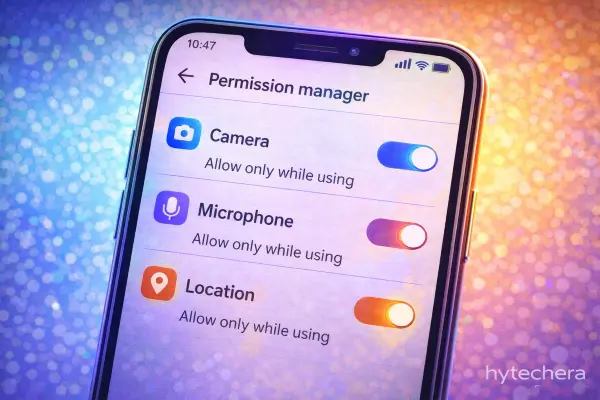
Modern Android versions allow users to control app permissions in detail, including one-time access and background restrictions.
Why Permission Abuse Is Often Unintentional
It’s important to understand that most apps don’t request permissions with malicious intent.
What usually happens instead:
- Developers request broad access for “future features”
- Apps reuse old permission logic after updates
- Users approve permissions quickly during setup
- Permissions remain active even when features aren’t used
Over time, this creates a situation where apps have more access than they realistically need.
How to Audit App Permissions Safely
A permission audit doesn’t require deleting apps or breaking features. It’s about reducing unnecessary access, not blocking everything.
A smart audit focuses on three questions:
- Does this app still need this permission?
- Is the permission active only when the app is in use?
- Can this permission be downgraded instead of removed?
Modern OS versions allow:
- “Allow only while using the app”
- One-time permissions
- Automatic permission reset for unused apps
These options exist specifically to reduce long-term exposure.
The Most Effective Permission Strategy
Instead of micromanaging everything, use this approach:
- Location → Allow only while using the app
- Microphone / Camera → Allow only when needed
- Contacts / Storage → Review and revoke if optional
- Background access → Disable unless required
This keeps apps functional while limiting silent data access.
Why Permission Control Matters More Than Ever Now
In 2025–2026, apps are increasingly powered by:
- AI features
- Continuous background processing
- Context awareness (location, time, behavior)
These features depend heavily on permissions.
Without proper control, apps don’t just use data — they learn from it continuously.
That’s why permission management has become a core privacy skill, not an advanced technical task.

After reviewing permissions on my own phone, I found multiple apps still had location and microphone access even though I hadn’t used those features in months. Switching them to “only while using” immediately reduced background activity — without breaking the apps.
Better permission settings improve both privacy and performance.
Also read –>> How to Protect Your Smartphone from Hacking in 2025
Final Takeaway
Passwords protect your identity.
Permissions control your privacy.
In a world where apps are always connected, always learning, and always evolving, permission awareness is more powerful than password strength alone.
Once you understand this shift, smartphone security becomes far more manageable — and far less intimidating.
Understanding app permissions vs passwords helps users protect privacy beyond strong logins.
FAQs-Why Permissions Matter More Than Passwords on Smartphones
- Are permissions more important than passwords?
They serve different roles, but permissions often expose more continuous access than passwords.
- Should I deny all permissions by default?
No. Deny unnecessary permissions, not essential ones. Balance is key.
- Do updates change permissions automatically?
Updates can introduce new permission requests. Always review them after major updates.
- Can permissions drain battery and data?
Yes. Background access permissions often correlate with higher battery and data usage.