In todays digital life, productivity is one of the key factor to success. Whether you are student, content writer, or a remote worker handling multi-task through online, every sec is important. Luckily, we have a best chrome extension that helps us for better time management, increases in efficiency and stay focused in your work.
In the article we discuss about 10 Powerful Chrome Extensions That Will Boost your Productivity in 2025. Which are free and easy to use.

While working on content creation and daily online tasks, I realized that most productivity issues are not caused by lack of tools, but by poor time management inside the browser.
Why chrome Extensions matter in productivity:
Chrome is one of the most widely used open source browser. With this extensions the power of chrome has increased. So you can turn your browser into a complete productivity hub with just few clicks.
Also read ->> 6 Powerful AI Writing Tools for Bloggers & Freelancers in 2025
How these extensions can help your productivity:
- Automation tasks of chrome extensions will definitely save your time.
- Extensions reduce the social media distractions and opening of unnecessary tabs.
- These helps in organize the notes, passwords and projects.
- One of the best thing about this extensions is it track your performance daily.
Also read –>> Best Free Antivirus Software to Use in 2025
After using multiple Chrome extensions over time, it became clear that small tools integrated directly into the browser can save more time than switching between separate apps.
Best Methods to Use Chrome Extensions Effectively
Installing productivity extensions alone will not automatically improve efficiency unless they are used with the right approach. One effective method is to limit the number of active extensions and only keep those that directly support daily tasks. Too many extensions running in the background can slow down the browser and reduce focus instead of improving productivity.
Another important method is to assign a clear purpose to each extension. For example, time-tracking extensions should be used only during work hours, while distraction blockers should be activated during focused sessions. Regularly reviewing extension usage helps identify which tools are actually useful and which ones are no longer needed. By using extensions intentionally rather than randomly, productivity gains become more consistent and noticeable.
Who Should Use Productivity Chrome Extensions
Productivity Chrome extensions are useful for a wide range of users, including students, freelancers, office professionals, and remote workers. Students can benefit from extensions that help with focus, note-taking, and writing improvement, while freelancers and content creators can use time-tracking and organization tools to manage multiple projects efficiently.
Remote workers and professionals who spend long hours on browsers can turn Chrome into a powerful workspace by combining focus, security, and task management extensions. Choosing extensions based on individual work style and daily routine helps maximize productivity without creating digital clutter.
10 powerful Chrome Extensions:
Grammarly :
- Grammarly extension is used for real time grammar and spelling checker.
- It is the vey best extension for students, bloggers and professionals.
- The Benefits of this extension is enhances your writings in emails, forms and google docs.

StayFocusd :
- Stay focusd extension is mainly used to blocks the time wasting websites.
- It is the best extension for students and remote workers.
- This limit the time spent on social media sites like Instagram, Facebook and you tube.

Toggle Track :
- Toggle is the best extension that we use for time tracking.
- This extension is best for freelancers, developers and project managers.
- The benefit while using this extension is it tracks how much time you spend on each task or site.
Notion Web Clipper:
- You can save and import web content directly into notion.
- This extension is best for researchers and bloggers.
- The benefits of using this extension is you can save content, notes and research just with one click.
Using this extension consistently helped reduce unnecessary tab switching and improved overall workflow efficiency.
One Tab :
- The usages of this extension is, it can minimize or collapse all the open tabs into single list.
- Users who are working with many open tabs, this should be the best suitable extension.
- The Benefits of this extension is, saves RAM and keeps your tab bar clean.
Bitwarden :
- It act as the best password manager.
- This is best extension for everyone.
- The benefits of extension is it can securely store the passwords and auto fill them.
Loom :
- This extension is very best for screen record and webcam.
- Loom extension is best for teachers, marketers and tech support.
- Without long emails, we can share a visual walkthrough instantly with someone.
Dark Reader :
- This extension adds dark mode or theme to all websites.
- Best for night time users, readers and coders.
- This extension improves the focus in low light or dark environments and reduce eye strains.
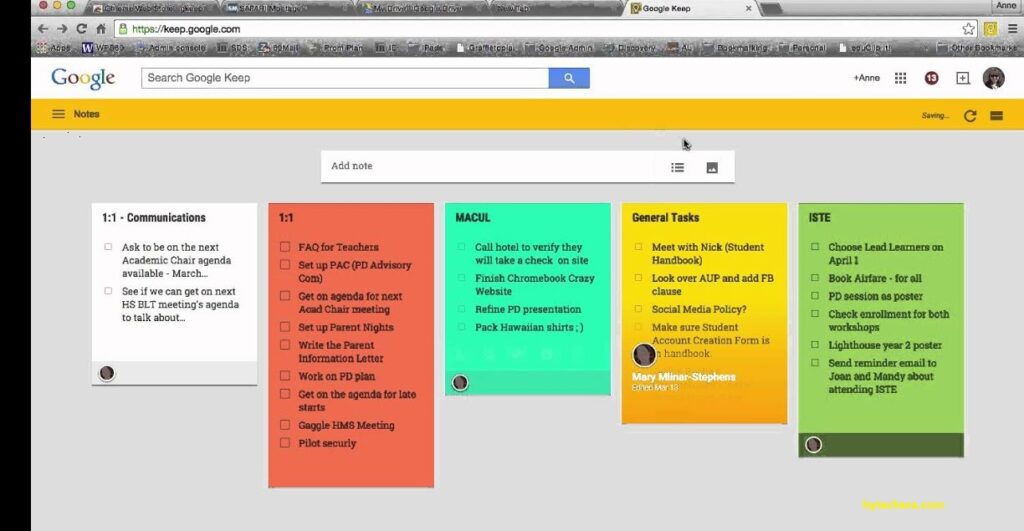
Google Keep :
- The usages of this extension is, it takes the notes quickly.
- Google Keep best for planners and note takers.
- The benefits of using this extension is you can create to do lists , remainders and save links instantly.
Momentum :
- The usages of this extension is your personal dashboard will be replaced in new tab.
- Momentum is the best extension for goal setters.
- It show the motivation quotes , daily focus and task tracker.
How to Install These Chrome Extensions:
- Open the chrome in your pc.
- Search for the extension with name that you want to add as extension.
- Then click add to chrome.
- That’s it your extension is now added.
Tips to Maintain High Productivity Using Chrome Extensions
To maintain high productivity, it is important to periodically review installed Chrome extensions and remove those that are no longer useful. Keeping extensions updated ensures better performance and security. Users should also disable extensions that are not required during specific tasks to reduce distractions and browser load.
Over time, I found that reviewing and removing unused extensions helped keep the browser fast and reduced digital clutter.
Setting a daily routine that includes focused work sessions, limited social media access, and regular breaks helps maximize the effectiveness of productivity tools. When Chrome extensions are used as part of a structured workflow, they become powerful assistants rather than distractions.
Conclusion :
Chrome extensions have become essential tools for improving productivity in today’s digital work environment. By choosing the right extensions and using them with proper methods, users can save time, reduce distractions, and stay organized throughout the day. Whether you are a student, freelancer, or remote worker, integrating productivity-focused Chrome extensions into your workflow can significantly improve efficiency and focus. Start with a few essential tools, use them consistently, and gradually build a productivity system that fits your daily routine.
Testing and using these Chrome extensions as part of daily work has shown how simple browser tools can significantly improve productivity when used correctly.